
What Is Brand DNA? Meaning and Key Elements
7 min read
We use essential cookies and product analytics to keep BrandGen reliable and improve the product. We do not use advertising cookies.
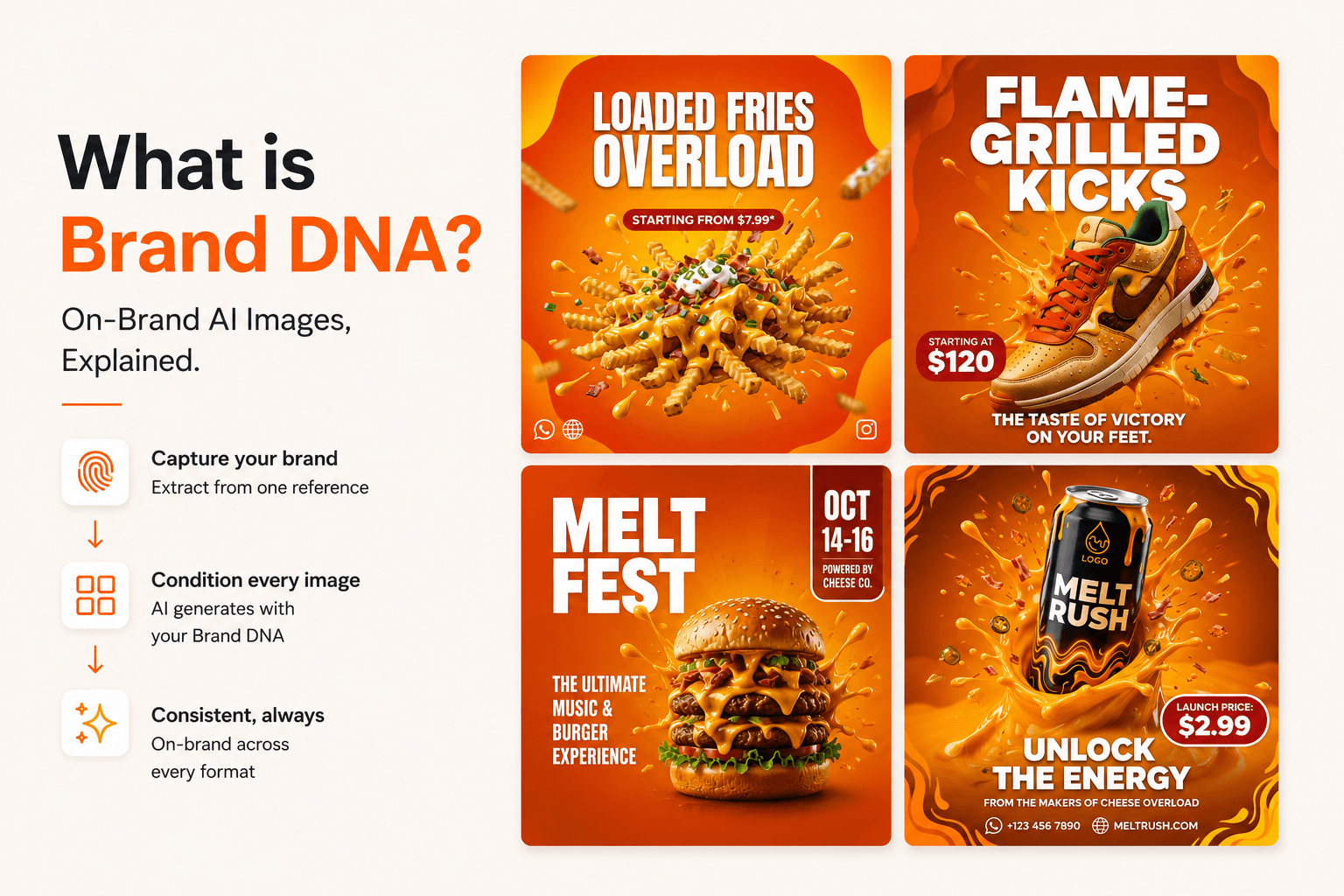
Brand DNA is a structured, machine-readable specification of what makes a brand recognizable: its exact color palette, typography, visual style, and tone of voice. BrandGen extracts your Brand DNA once from a single reference creative (or your written guidelines), then conditions every AI-generated image on it, so your visuals stay consistent across an entire campaign.
When marketers say "stay on-brand," they mean a bundle of constraints most tools never make explicit: a palette, a few typographic preferences, a visual-style sensibility, and a tone. Brand DNA is BrandGen's name for that bundle, formalized as a spec an image model can actually be conditioned on. This guide covers what Brand DNA is, what goes into it, how it differs from a traditional style guide, and how it changes the way you generate marketing images.
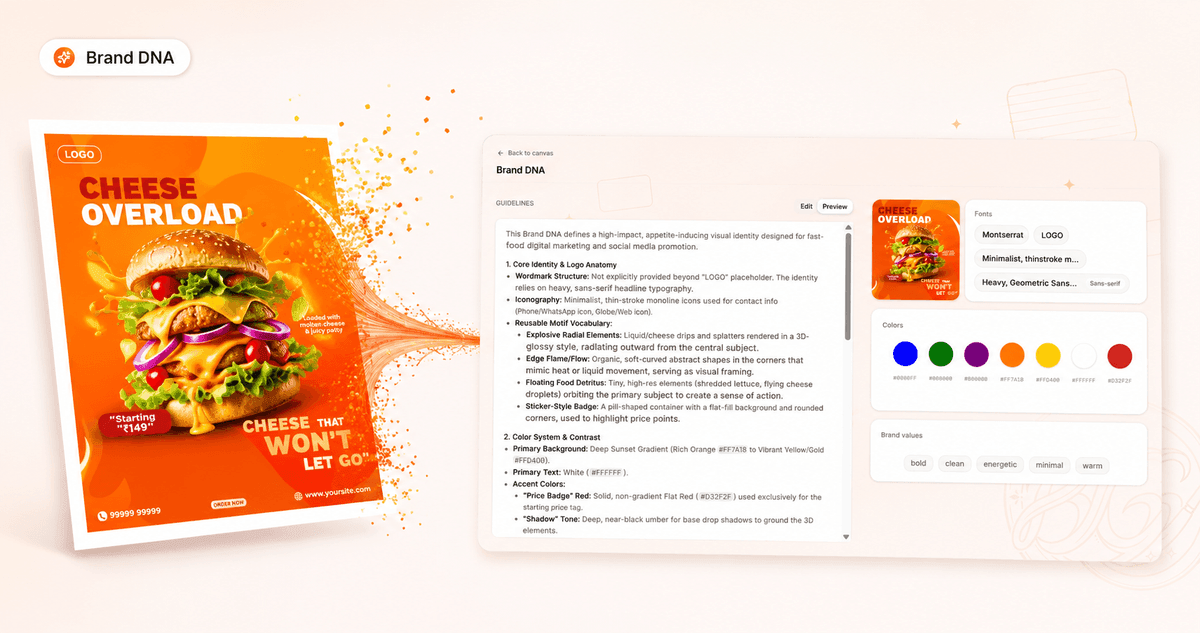
Brand DNA is a structured spec of everything that makes your brand recognizable, your colors, typography, visual style, and tone, captured in a form an AI model can enforce. Instead of living in a 40-page PDF no tool can read, it is extracted once and applied automatically to every image you generate. Think of it as the difference between describing your brand in a prompt every single time and teaching the tool your brand once so it remembers.
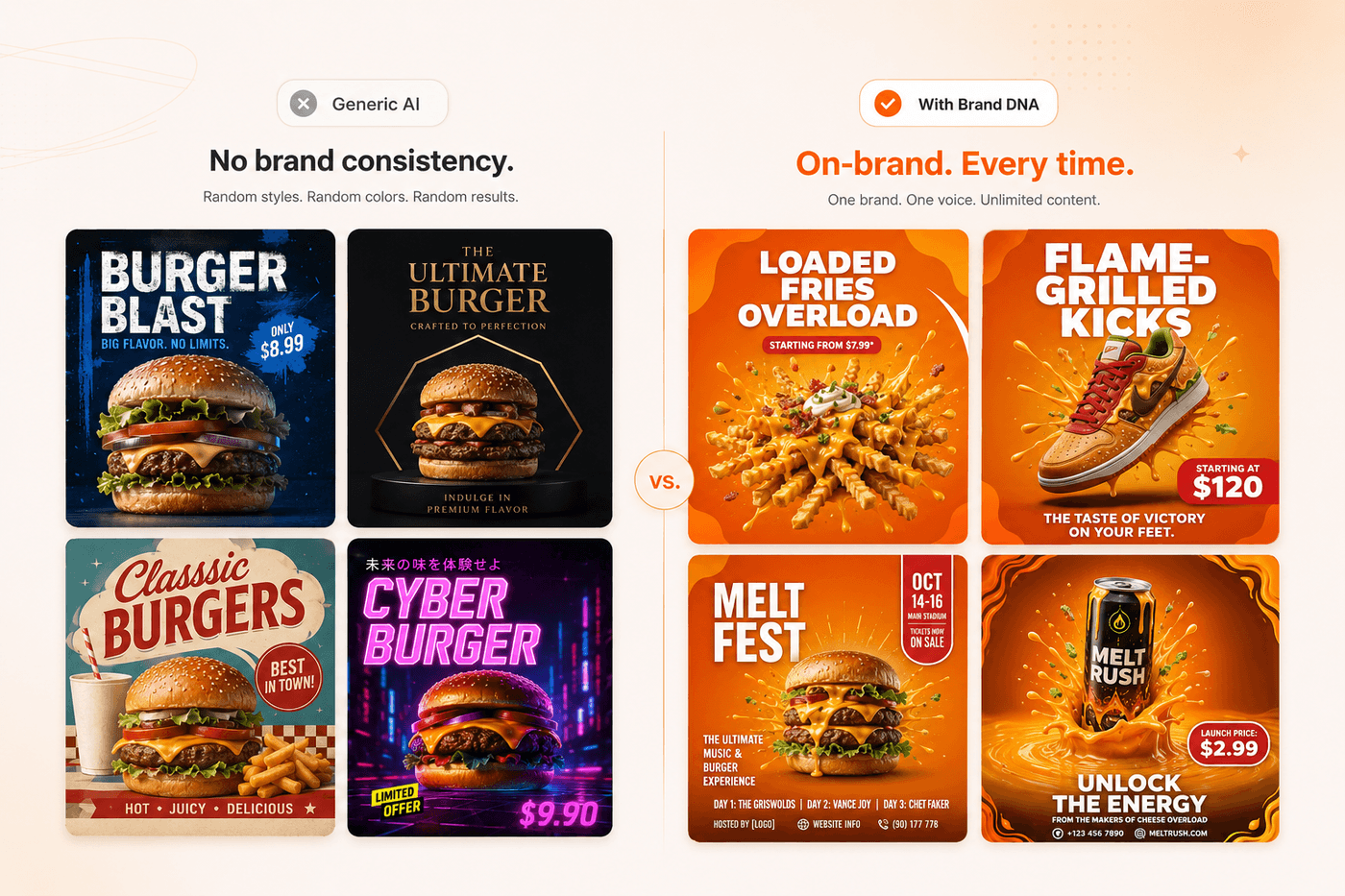
Generic AI image generators have no concept of your brand. Every prompt is independent, so colors drift, typography drifts, and visual style drifts. You can spend an hour tuning a prompt and still ship visuals that need manual cleanup in Figma before they look like yours.
That inconsistency is expensive, and AI has made it easier to produce at scale. In a 2025 IAB survey, 70% of marketers said they had already run into an AI incident, from hallucinated details to off-brand, inappropriate output. The deeper issue is that a brand is not a style you can capture in a sentence. It is a system of rules, and a text prompt cannot reliably carry a system of rules. The model guesses, and it guesses differently every time. The fix is not a better prompt. It is giving the model a brand spec it has to respect on every single generation.
When BrandGen analyzes your reference creative (or your written guidelines), it extracts:
You give it one reference creative, or your written guidelines, and BrandGen turns that single input into one spec. The result is a serialized set of rules the model is conditioned on for every prompt, not a template you re-edit each time. You can see this in action across the BrandGen gallery, where a single Brand DNA drives an entire set of on-brand assets.
A style guide is written for humans. It is a document a designer reads, interprets, and manually applies, which makes it slow, subjective, and impossible for an AI tool to act on directly.
Brand DNA is written for machines. It captures the same intent, your brand's rules, but structures it so a model can enforce it automatically on every generation. You still start from a style guide or a reference; Brand DNA is what makes it executable. That is the key distinction: a style guide describes your brand, while Brand DNA enforces it.
Before Brand DNA, the loop looks like this:
prompt -> generate -> reject -> re-prompt -> adjust -> regenerate -> still slightly off -> finish in Figma.
With Brand DNA, it collapses to:
prompt -> generate on-brand -> ship.
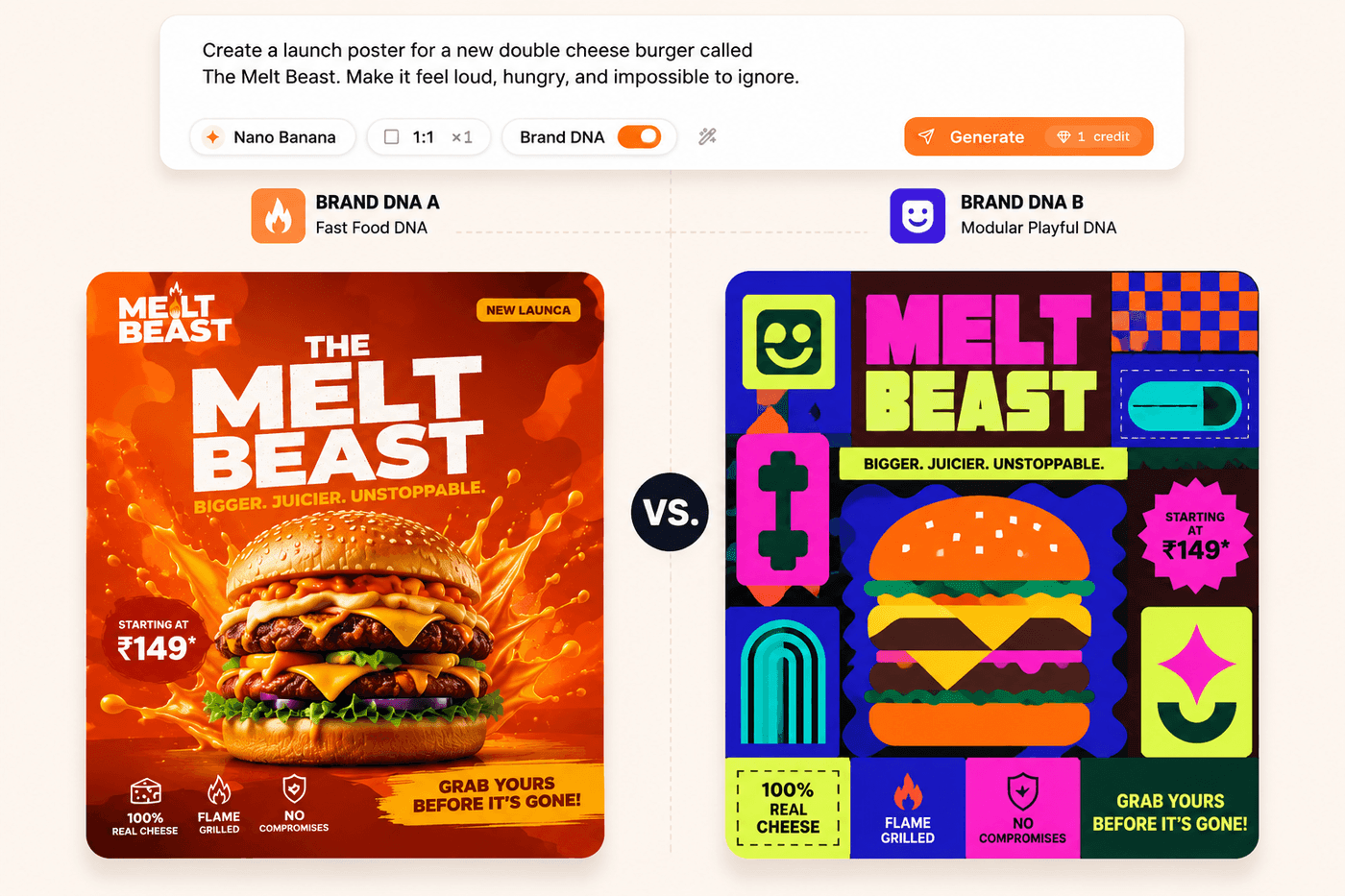
The clearest proof that this is a real constraint and not a stylistic suggestion: take the same prompt and apply it to two different Brand DNAs. You get visually distinct, equally on-brand outputs. The prompt did not change, the brand rules did, and the model respected both.
There are two ways to give BrandGen your brand:
Once your Brand DNA exists, it stays loaded inside a project, so every image you generate from that point on starts with your brand as context instead of a blank prompt. You can fine-tune the extracted spec any time in the project's Brand DNA editor. If you are comparing tools, here is how BrandGen differs from Midjourney and other general image generators: they generate art, BrandGen generates your brand.
Upload one branded reference creative on the BrandGen homepage and that is all it takes for your Brand DNA to extract and start generating on-brand assets in seconds. It is free to start, and you can explore real examples in the gallery or browse use cases by industry first.
Written by Yash Soni, founder of BrandGen.