Color Palette
- Primary: Warm White #F8F4EC
- Secondary: Soft Beige #E9DDCB
- Accent: Electric Red #FF2A2A
- Support Accent: Charcoal Black #1A1A1A
- Optional Highlight: Acid Green #B7FF00
- Neutral Detail: Chrome Silver #B8B8B8
Typography
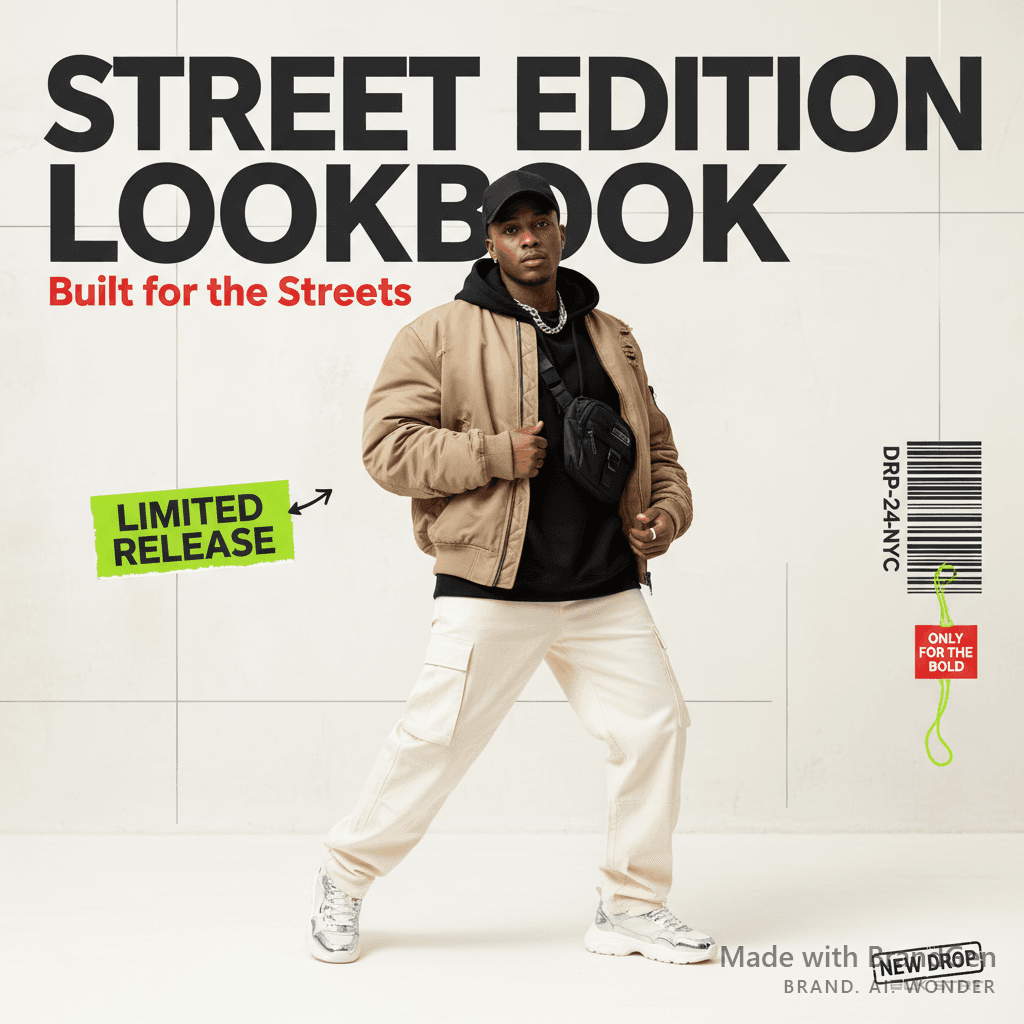
Use bold, condensed, editorial-style typography. Headlines should feel loud, confident, and fashion-forward while staying clean against a light background. Use oversized uppercase text, tight spacing, and strong contrast. Supporting text should be minimal, readable, and placed with enough whitespace.
Style
Light, premium, editorial, streetwear-inspired, and modern. The visual direction should feel like a clean fashion drop campaign with a bold streetwear attitude. Use bright studio lighting, soft shadows, clean backgrounds, and sharp model/product focus.
Composition
Use large hero model shots, oversized product-focused typography, clean spacing, and magazine-style layouts. The design should feel campaign-ready with a strong focal point, clear drop message, and minimal but powerful CTA placement. Keep the layout airy, structured, and polished.
Imagery
Use model shots wearing oversized hoodies, jackets, sneakers, caps, or streetwear outfits. Backgrounds can include light studio backdrops, off-white walls, beige concrete textures, urban daylight scenes, or minimal editorial sets. Keep lighting natural, clean, and high-fashion.
Visual Elements
Use drop badges, limited edition labels, product tags, barcode-style details, thin grid lines, arrows, torn paper textures, sticker-style elements, and small fashion label details. Keep the visual elements sharp and controlled, with enough whitespace to maintain a premium feel.
Tone of Voice
Confident, bold, limited, hype-driven, and exclusive. Copy should feel short and punchy. Use phrases like "New Drop", "Limited Release", "Built for the Streets", "Drop Live", "Only for the Bold", "Wear the Moment", and "Fresh Drop".
Do's
Emphasize exclusivity, style, attitude, and limited availability. Keep visuals clean, bright, and scroll-stopping. Make the outfit or product the hero. Use strong typography, premium whitespace, and clear CTA hierarchy. Maintain a fashion-editorial feel.
Don'ts
Avoid dark-heavy visuals, neon-only backgrounds, corporate layouts, basic catalog styling, cluttered text, random colors, overly soft pastel design, or visuals that feel too casual and not campaign-ready.