AI Webinar Landing Page Hero Banner
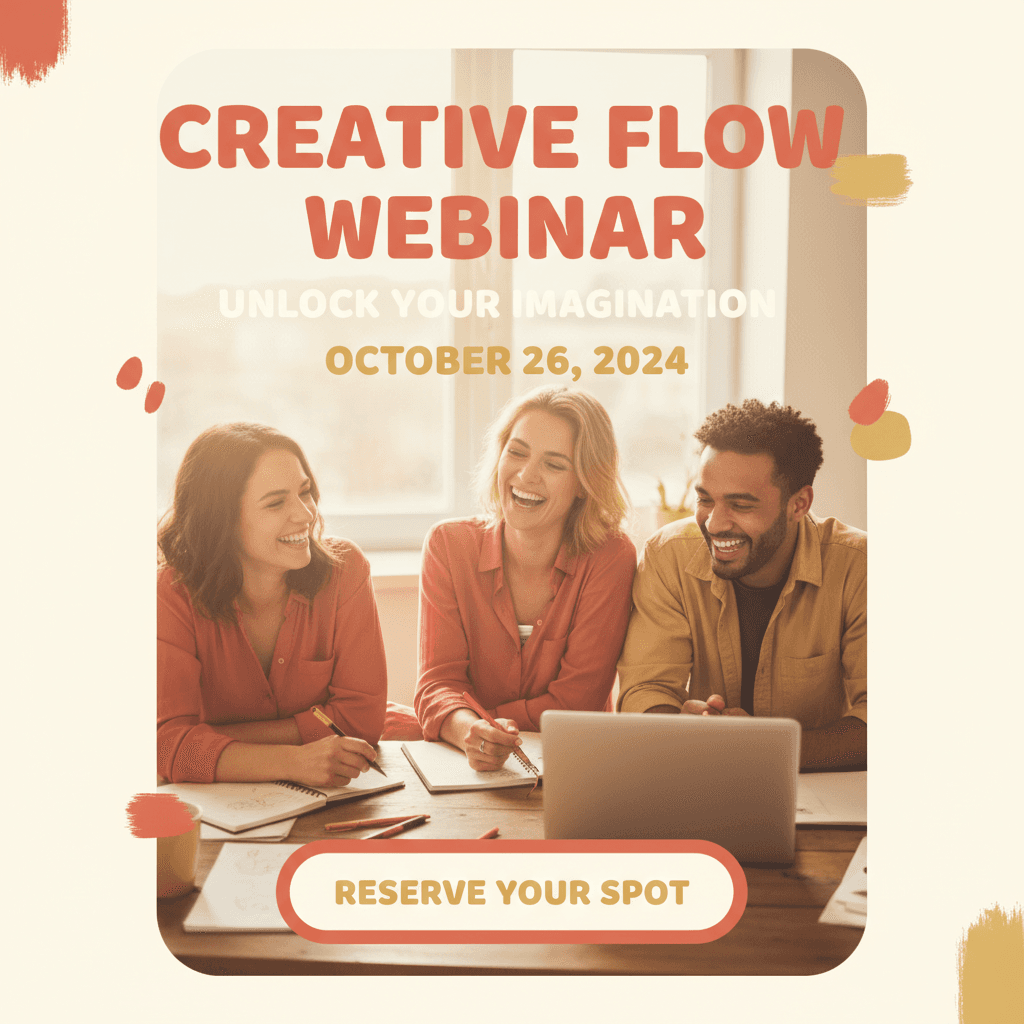
See an AI-generated webinar landing page hero banner created from written creator-brand guidelines.
Example breakdown
Why it stays on-brand
The banner keeps the corporate-friendly tone while making the speaker, event details, and registration CTA clear.
Marketing use
Use it for webinar pages, email headers, registration campaigns, or LinkedIn event promotion.
Prompt
Professional webinar landing page hero banner, inviting speaker headshot with modern clean layout, registration CTA button prominently placed, event title and date clearly visible, corporate yet approachable aesthetic.
How this was generated
Brand DNA came from written guidelines using the same style of preset as in the live app. That DNA was applied as rules on top of the prompt used for this asset (shown in the Prompt section above).
- 1Written guidelinesBrand DNA source
Guidelines path: BrandGen turns pasted or typed brand specs into structured DNA.
Preset examplePersonal Brand / CreatorColor Palette
- Primary: Coral #E07A5F
- Secondary: Soft gold #F2CC8F
- Accent: Cream #F4F1DE
Typography Friendly, rounded or humanist sans-serif. Approachable and readable.
Style Approachable, authentic, lifestyle, aspirational.
Composition Balanced layouts with room to breathe. Personal, editorial feel. Not overly rigid.
Imagery Photography-led, lifestyle, candid. Soft color treatment and natural light. Real people and moments.
Visual elements Rounded shapes, soft edges, organic flow. Warm filters and gentle contrast.
Do's Emphasize personality, warmth, and relatability. Feel human and genuine.
Don'ts Avoid corporate stiffness, cold blues, overly polished or sterile looks.
- 2Apply DNA to the prompt
Every generation runs through that DNA as hard constraints (colors, type, visual style, tone). The creative intent is entirely in the prompt already shown above.
- 3Final outputTechnology & SaaS
The same wording with different DNA would look like a different brand. This image used the Brand DNA from step 1.