Can AI image models hit your exact brand colours? We measured six

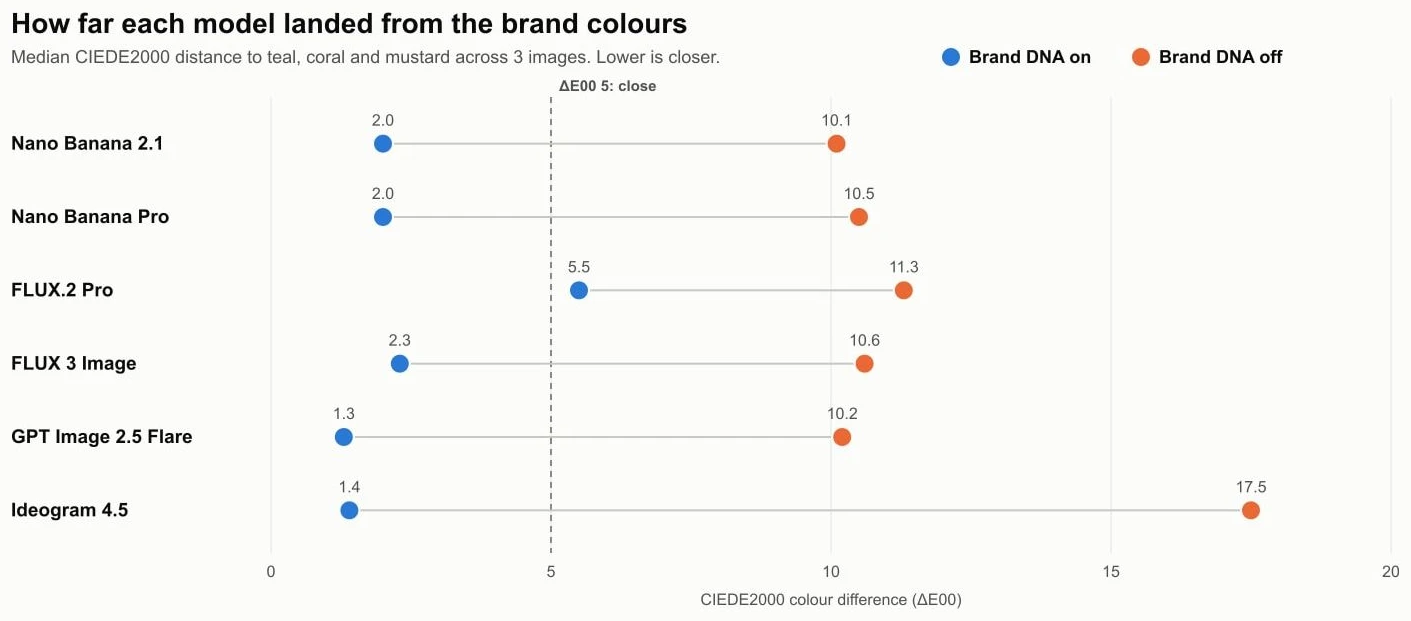
Yes, mostly: when we gave six AI image models a brand's exact hex codes, their images landed a median of 2.0 CIEDE2000 units from the brand colours, right at the edge of what people notice in a side-by-side comparison. Without the hex codes, the same prompts landed 10.6 units away: clearly different colours.
Brand colour is the first thing people notice and the easiest thing for AI images to get wrong. So we measured it. We set up one invented brand with five fixed hex codes, generated 36 images across six models in BrandGen, and measured the colour distance with the standard formula colour scientists use. This post shares the method and the full results, so you can check our work.
Key takeaways
- With the palette sent, 45 of 54 brand-colour checks came within 5 CIEDE2000 units. Without it, 18 of 54 did.
- Five of six models hit a median of 2.3 or better with the palette. FLUX.2 Pro was the outlier at 5.5, with visibly muted colours.
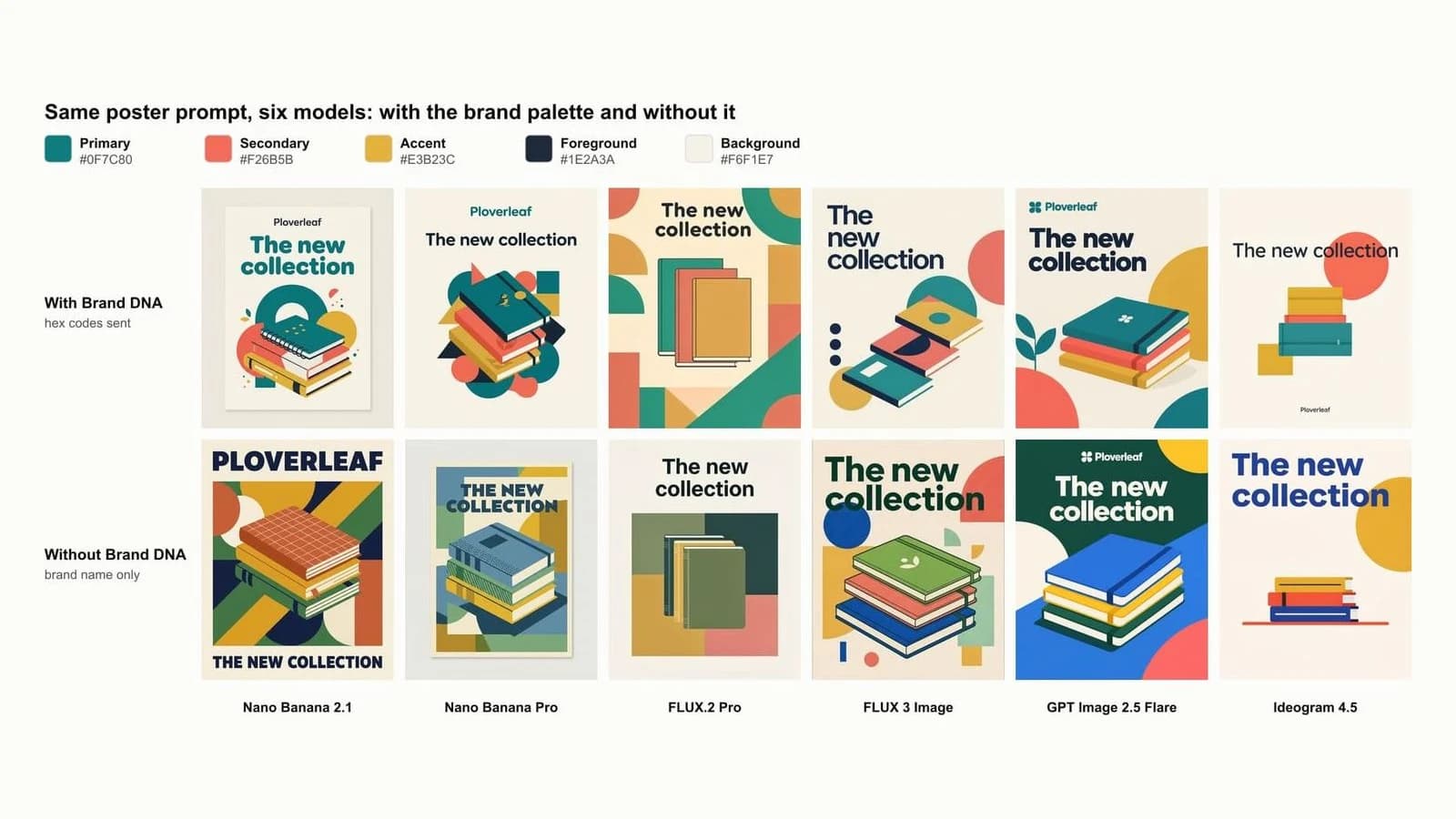
- Flat graphics matched best (median 1.6 to 1.8). Photos were harder (4.2), because light and shadow shift every colour.
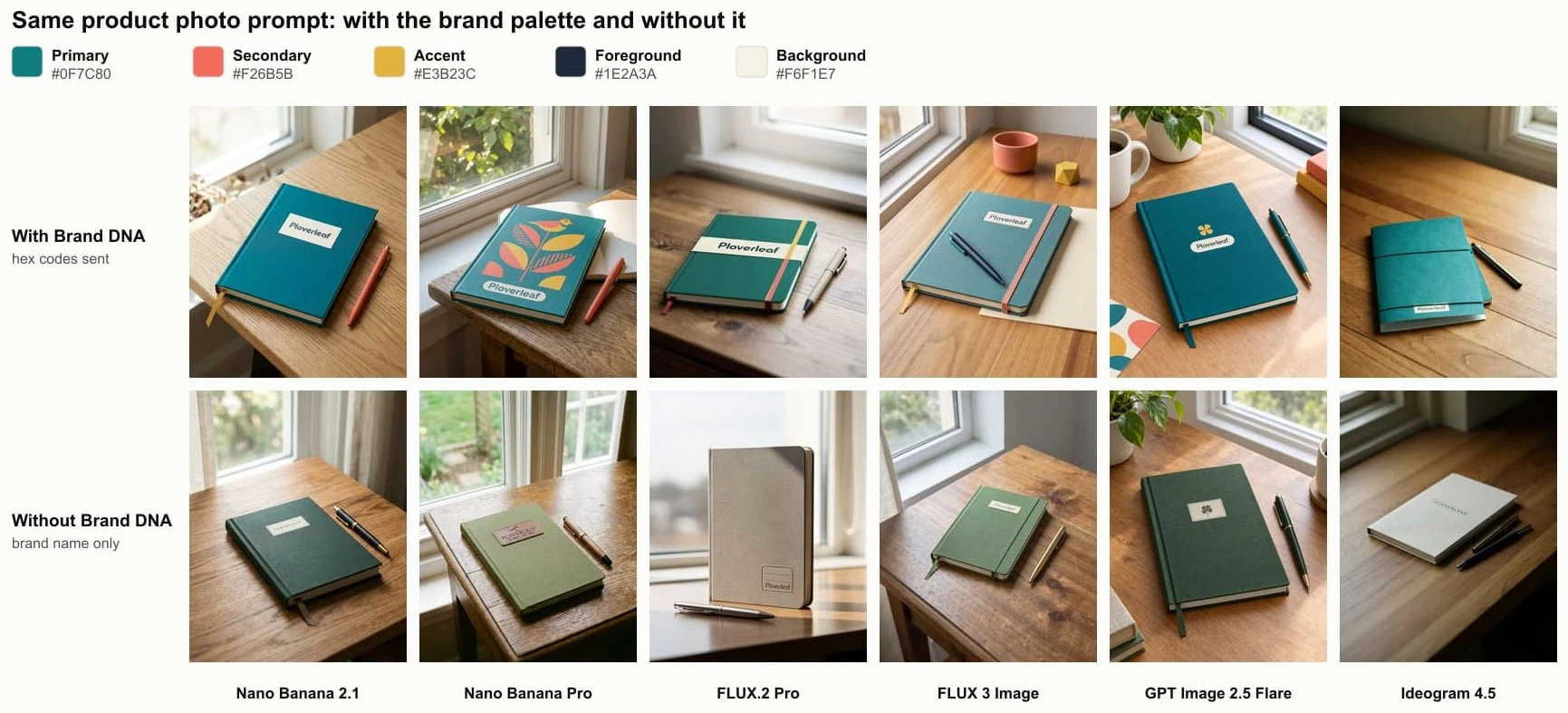
- Without the palette, no model produced the brand's teal in a product photo. With it, all six did.
- Some colours come free: mustard showed up even without the palette, because yellow pencils and wooden desks are what models draw by default.
How did we test colour accuracy?
We gave every model the same three prompts twice, once with the brand palette and once with only the brand name, then measured how close each image came to each brand colour. None of the prompts named a colour, so any match came from the palette or from chance.
The brand was Ploverleaf, an invented paper-goods company, set up in BrandGen from typed guidelines with five exact colours:
- Primary: #0F7C80 (a deep teal)
- Secondary: #F26B5B (coral)
- Accent: #E3B23C (mustard)
- Foreground: #1E2A3A (ink navy)
- Background: #F6F1E7 (paper cream)
BrandGen sends these to the model as text with every prompt, each colour written with its name, hex code and usage, such as "#0F7C80". With Brand DNA switched off, the model got only the prompt.
Got any questions left?
Try it
Set up your brand once with your exact hex codes on the BrandGen homepage and see your colours in every image. Browse real outputs in the gallery, compare plans and models on the pricing page, or read what Brand DNA is.
Keep your exact brand colours in every image
Lock your palette once with Brand DNA and every image model in BrandGen works from it.
Keep reading
- Nano Banana vs Nano Banana Pro: when is Pro worth it?We ran the same five on-brand prompts on Nano Banana 2 Lite, Nano Banana 2 and Nano Banana Pro. Here is where Pro earned its extra credits, where it did not, and which plan you need.6 min read
- Best AI Image Generators for On-Brand Marketing (2026)BrandGen, Canva, Kittl, Recraft, Adobe Firefly, Pomelli and Photoroom compared on brand memory, logo handling, reference images and price (Oct 2026).9 min read