Best AI Image Generators for On-Brand Marketing (2026)

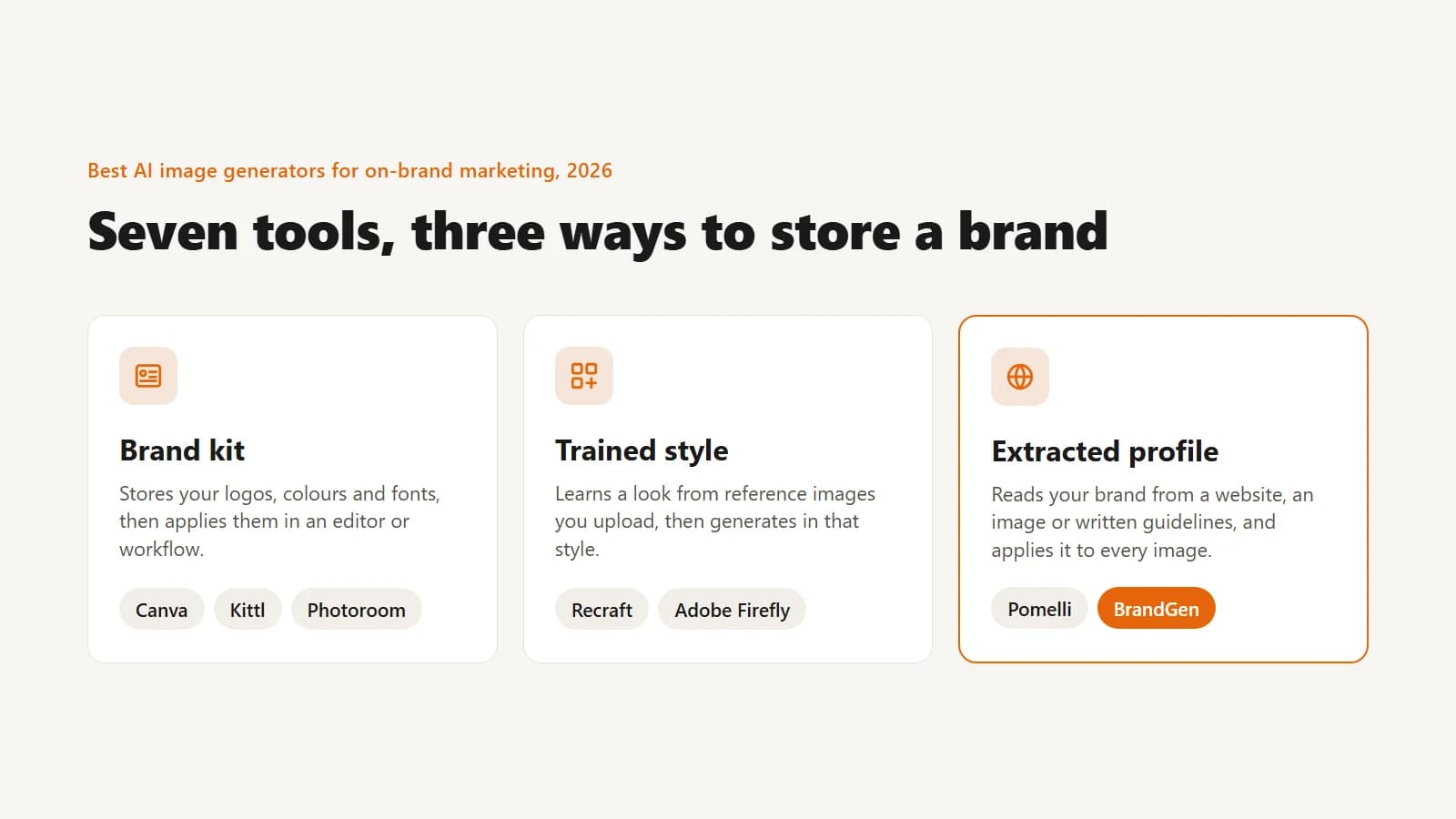
The best AI image generator for brand-consistent marketing is the one that stores your brand once and applies it to every image, including your real logo. As of October 2026, BrandGen, Kittl, Canva, Recraft, Adobe Firefly, Pomelli and Photoroom all claim to do this, but they store a brand in very different ways.
This guide compares them on brand memory, logo handling, reference-image input, models and price, and says plainly where each competitor is the better pick.
Key takeaways
- "On brand" means three separate jobs: remembering your palette, type and style; keeping your real logo intact; and doing both on every image without re-prompting.
- Canva, Kittl and Photoroom store a brand kit (logos, colors, fonts) and apply it inside an editor or workflow. Recraft and Adobe Firefly learn a look from reference images you supply.
- Pomelli is free during its Google Labs experiment and builds a Business Profile from your website, but Google's own help page warns that AI can change logos and colors.
- BrandGen extracts Brand DNA from a brand image, a website or written guidelines, and attaches your saved logo file as a reference image when it generates.
- BrandGen has no layered editor and no templates. If you need decks, print layouts or catalog-scale photo editing, another tool on this list is a better fit.
What makes an AI image generator brand-consistent?
A brand-consistent generator remembers your brand between sessions and applies it without you re-describing it in every prompt. A general image model forgets everything when the chat ends, so palette, typography and tone drift from one image to the next.
Four capabilities separate these tools. Brand memory is where the brand is stored: a kit, a trained style, or an extracted spec. Logo handling is whether your actual logo file reaches the output. Reference-image input lets you show the tool an image instead of describing it. Model choice decides image quality and text rendering.
How do the seven tools compare?
Facts are from each vendor's public pages as of 2026-10. Prices are USD, the lowest paid tier shown, and may differ by region.
| Tool | Brand memory | Logo handling | Reference-image input | Image models | Free plan | Starting paid price |
|---|---|---|---|---|---|---|
| BrandGen | Brand DNA extracted from a brand image, a website URL or written guidelines | Saved logo file attached as a reference image on generation | Brand image for setup; attach an image to a generation | Model picker incl. Nano Banana, GPT Image 2.5, FLUX 3 Image, Seedream, Ideogram (by plan) | 30 credits, one-time | $7/mo (Basic) |
| Canva | Brand Kit of logos, colors, fonts; Free gets 1 kit, 3 colors | Logos stored in the kit for use in the editor | Upload a reference photo to the AI image generator | "Leading AI models", not named | Yes | US$144/yr (Pro) |
| Kittl | Brand Studio kit imported from a website or store URL | Logo pulled into the kit and applied in workflows | Product, packaging and scene images in AI workflows | GPT Image 2.5, Nano Banana 2.1, Seedream 5.0, Ideogram 4, FLUX.2, Recraft V4.1 and more | 100 one-time tokens, personal use only | $12/mo per editor, billed annually (Pro) |
| Recraft | Custom styles built from reference images | No logo-specific feature in the style docs | Up to 10 references per V4 style | Recraft V2 to V4.1, plus external models | Yes; images public, not for commercial use | $12/mo, or $10/mo billed annually (Basic) |
| Adobe Firefly | Custom Models trained on your images (beta for individuals and teams) | Custom Models can learn "brand elements" | 10-30 training images per custom model | Firefly models plus partner models from Google, OpenAI and others | Limited daily generations | US$9.99/mo (Standard) |
| Pomelli | Business Profile built from your website, uploaded files or a template | Help page warns AI can modify logos | Up to 20 uploaded files to build the profile | Not named in Google's help pages | Free during the experiment | None listed |
| Photoroom | Brand kit of logos, colors, fonts; website import on the web app | Logos inserted into designs from the kit | Starts from your own product photo | Not named on the pricing page | Free trial of paid plans | $7.50/mo, billed yearly (Pro) |
How does each tool keep images on brand?
Canva
Canva stores a Brand Kit with your official logos, colors and fonts, and on higher plans an admin can restrict a team to the kit's colors and fonts with Brand Controls (Canva Help Center). Canva Free includes one Brand Kit limited to three colors, and Pro is listed at US$144 per year for one person.
Its AI image generator accepts a text prompt or a reference photo, offers 10+ preset styles, and runs on models Canva does not name. Canva is the stronger choice when the job is a deck, a print layout or a multi-page document. See the full BrandGen vs Canva comparison.
Kittl
Kittl's Brand Studio imports your colors, fonts, logo and graphics from a website or store URL, then applies that kit across its AI workflows and mockups (Kittl Brand Studio). Kittl announced Brand Studio on 2026-09-08 and says every generation pulls from the kit.
Kittl also offers one of the widest model menus here, including GPT Image 2.5, Nano Banana 2.1, Seedream 5.0, Ideogram 4 and Recraft V4.1. Its Free plan has 100 one-time AI tokens and is for personal use only, and Pro starts at $12 a month per editor billed annually. Kittl wins for packaging, labels and merch on an editable canvas. See BrandGen vs Kittl.
Recraft
Recraft keeps images consistent with custom styles: you upload up to 10 reference images for a V4 style, weight each one, choose raster or vector and a palette, test it, then save it (Recraft docs).
Recraft's Basic plan starts at $12 a month, or $10 a month billed annually. Free-plan images are owned by Recraft, shown publicly in the community gallery, and not licensed for commercial use. Recraft is the better pick for editable vectors and icons. See BrandGen vs Recraft.
Adobe Firefly
Firefly's brand tool is Custom Models: you upload 10 to 30 representative images and Firefly trains a model on your style or subject, which can take 30 minutes to several hours. Custom Models are in beta for individual and team users and need a Creative Cloud or Enterprise plan (Adobe Help, updated 2026-10-13).
Paid Firefly plans start at US$9.99 a month for Standard, and partner models from Google, OpenAI and others draw on generative credits. Adobe also says its own Firefly models are trained on licensed and public-domain content. See BrandGen vs Adobe Firefly.
Pomelli
Pomelli, a Google Labs experiment, builds a Business Profile of your fonts, colors, values and images from your website, from up to 20 uploaded files, or from a template. It then generates campaigns, product photoshoots and websites.
It is currently free, with "several hundred" image and video generations, English only, and limited to supported countries. Google's own help page also advises reviewing every image because "AI can sometimes modify fine details of your products, like colors, logos, or textures" (Google Labs Help). For a small business with a website and no budget, it is hard to beat on price. See BrandGen vs Pomelli.
Photoroom
Photoroom starts from a product photo you already have and stages it, while its brand kit holds logos, colors and fonts that you insert into designs.
Pro is listed at $7.50 a month billed yearly, with 8,000 AI credits and 1,000 exports. If your work is clean, consistent product listings at catalog scale, Photoroom is the specialist. See BrandGen vs Photoroom.
How does BrandGen keep images on brand?
BrandGen stores your brand as Brand DNA and applies it to every generation in a project. You set it up from one of three inputs in the New project dialog: upload a brand image, paste your website URL, or type the brand spec yourself. You can edit the extracted Brand DNA at any time.
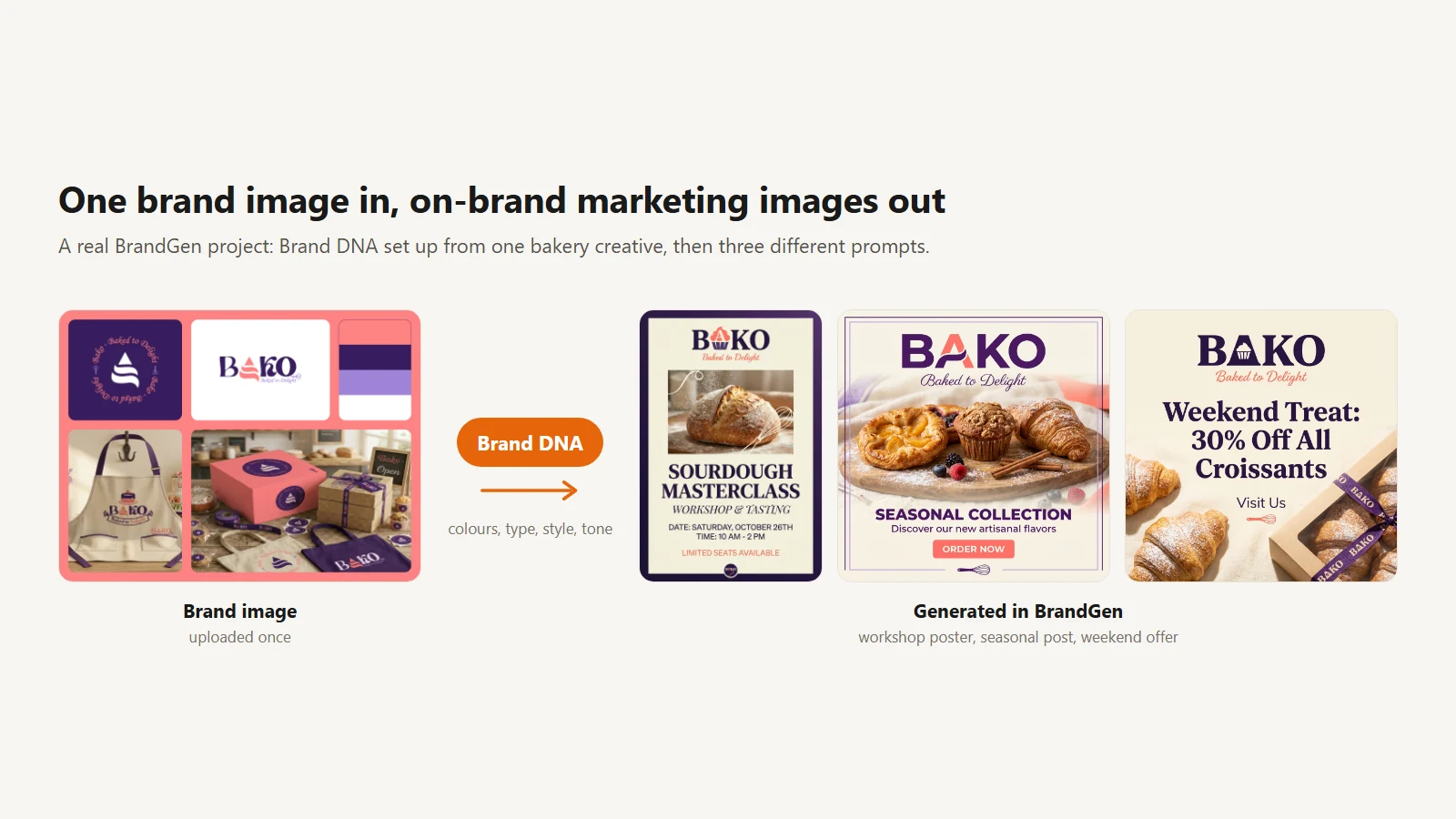
When a project has a saved logo, BrandGen attaches that exact file as a reference image on every generation with a model that accepts references, as long as Brand DNA is switched on. It is a reference, not a stamp, so review the mark before you publish. You also pick the aspect ratio and the model, get several variations per prompt, and can refine any result.
The Free plan gives 30 one-time credits, two variants per generation and four models, including Nano Banana 2.1 and FLUX 3 Image Klein. Paid plans are Basic at $7 a month, Pro at $17 and Max at $55. Pro unlocks every model, including Nano Banana Pro, GPT Image 2.5, Ideogram 4.5 and FLUX 3 Image, and Max adds 4K output on selected models. Current details are on pricing.
Where is BrandGen weaker?
BrandGen only generates images. It has no layered editor, no templates, no video and no print or document layouts, so Canva and Kittl are better when you need to edit text and layout by hand.
BrandGen's free credits also do not renew: the 30 free credits are one-time, while Pomelli is free for now and Firefly and Canva have ongoing free plans. BrandGen's edge is narrower: one brand setup step and your real logo sent with every prompt, across a picker of current image models.
How should you choose?
Pick by the job:
- Decks, print, multi-page docs: Canva.
- Packaging, labels, merch on an editable canvas: Kittl.
- Vectors, icons, hand-tuned art direction: Recraft.
- An existing Creative Cloud team, or commercially safe training data: Adobe Firefly.
- A small business with a website and zero budget: Pomelli, while it stays free.
- Product listings from real product photos: Photoroom.
- New on-brand marketing images from a prompt, with your real logo attached: BrandGen.
Sources (checked October 2026)
Competitor facts come from each vendor's own pages, checked on 21 October 2026. Plans and features change often; each vendor page is the current source.
| Tool | Source |
|---|---|
| Canva | Pricing, Brand Kit help, AI Image Generator |
| Kittl | Brand Studio, Brand Studio launch post, Pricing |
| Recraft | Custom styles docs, Paid plans, Pricing |
| Adobe Firefly | Custom Models help, Plans |
| Pomelli | Google Labs Help: about Pomelli, Business Profile |
| Photoroom | Pricing, Brand kit logos |
Got any questions left?
Try it
Set up Brand DNA from your logo, your website or your written guidelines, then generate your first on-brand images on the BrandGen homepage. Browse real outputs in the gallery, see use cases by industry, compare plans, or read every head-to-head on the comparisons page.
Your brand, on every image
Set up Brand DNA from a brand image, your website or your guidelines. Your logo comes along on every generation.
Keep reading
- On-brand social media graphics with AI: a weekly workflowA one-hour weekly workflow for on-brand social media graphics with AI: set up your brand once, plan six posts, write prompts that get the text right, then proof and fix.6 min read
- AI product photos for small brands: one look across your whole catalogueHow a small shop can turn mismatched phone photos into a catalogue that looks like one brand, with real before and after results from BrandGen and the marketplace rules to check first.7 min read
- Turn your website into on-brand images: Brand DNA from one URLPaste your homepage URL and BrandGen learns your colours, fonts, logo and voice, so every AI image it generates stays on brand.6 min read