Which AI image model should you use for product shots, posters and text-heavy ads?

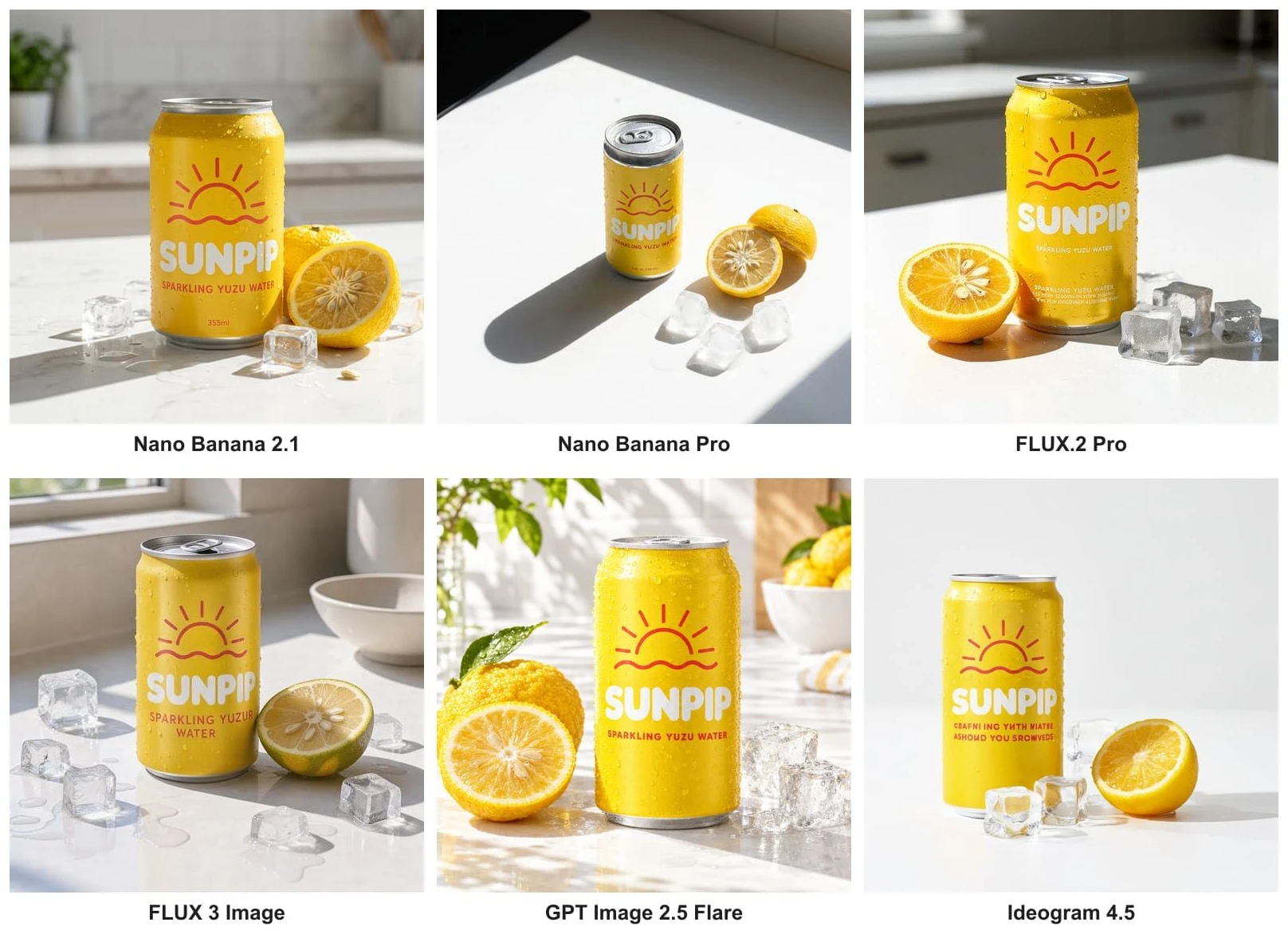
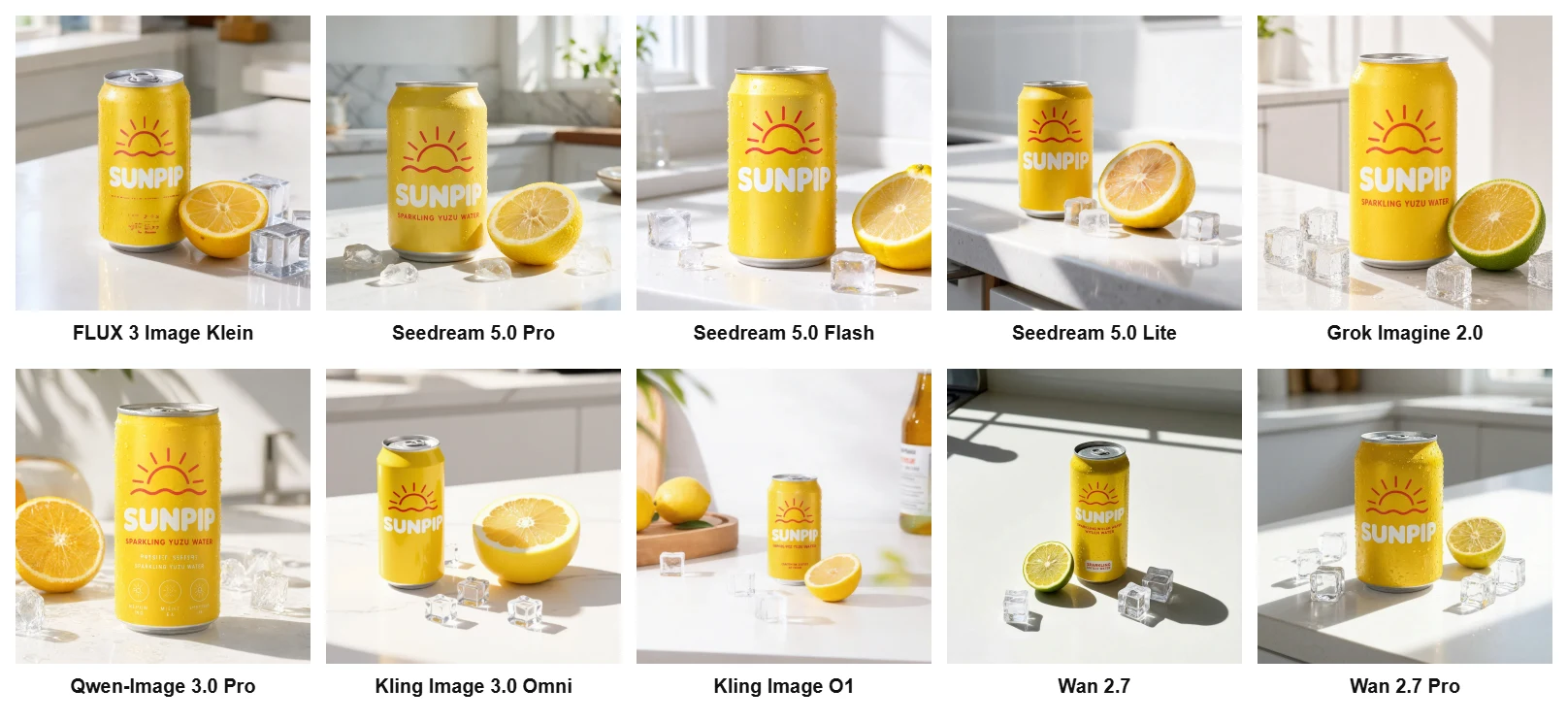
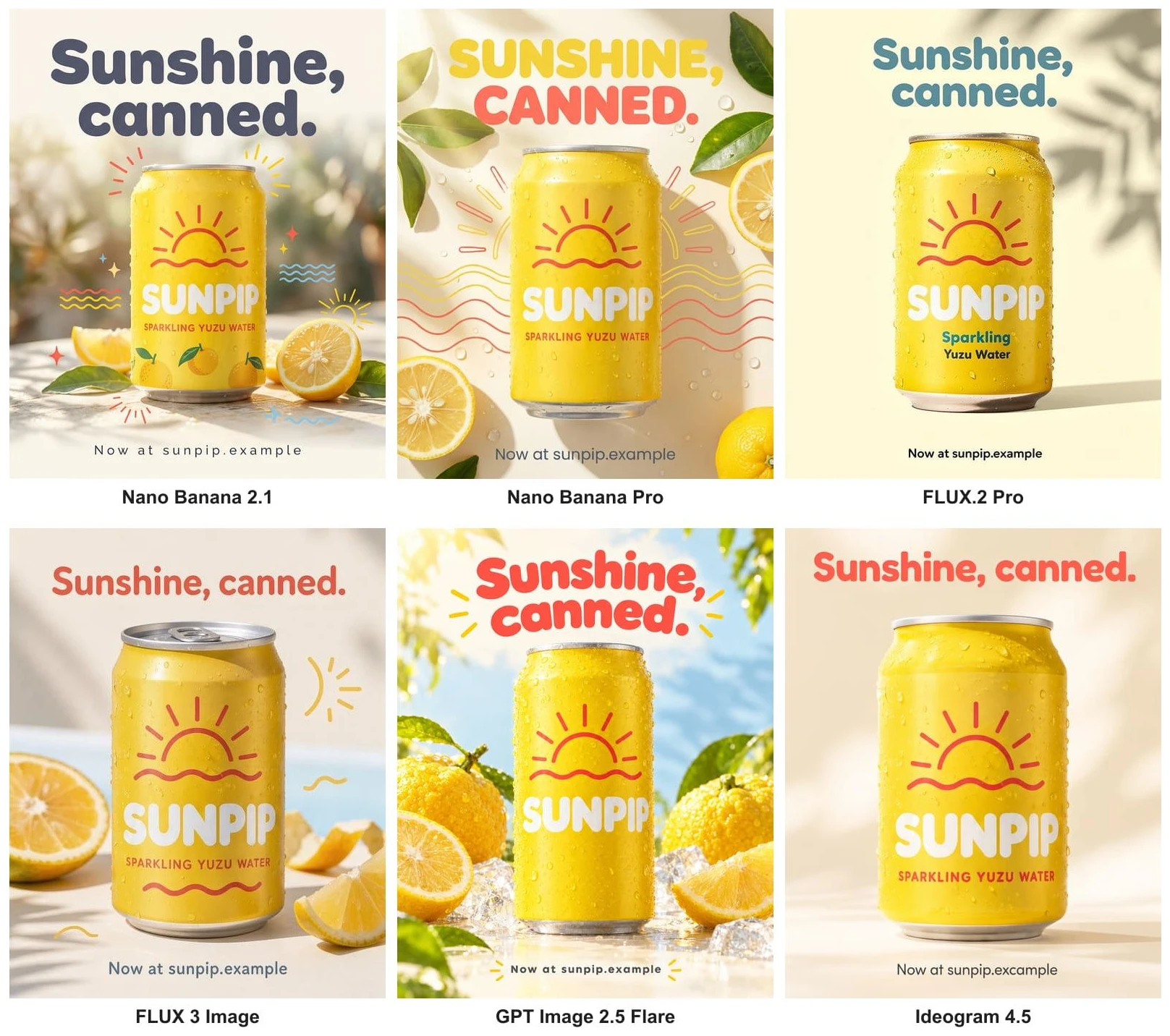
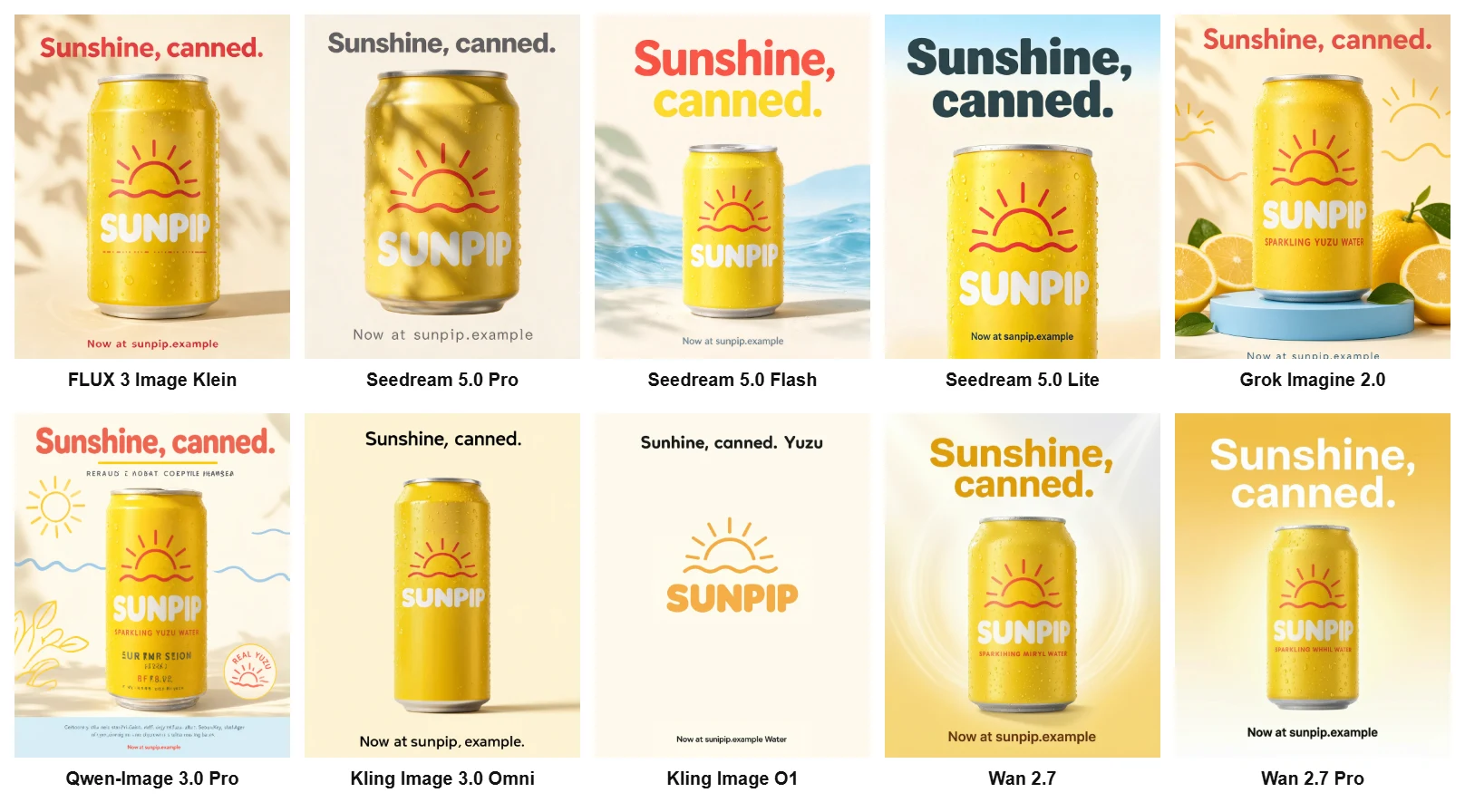
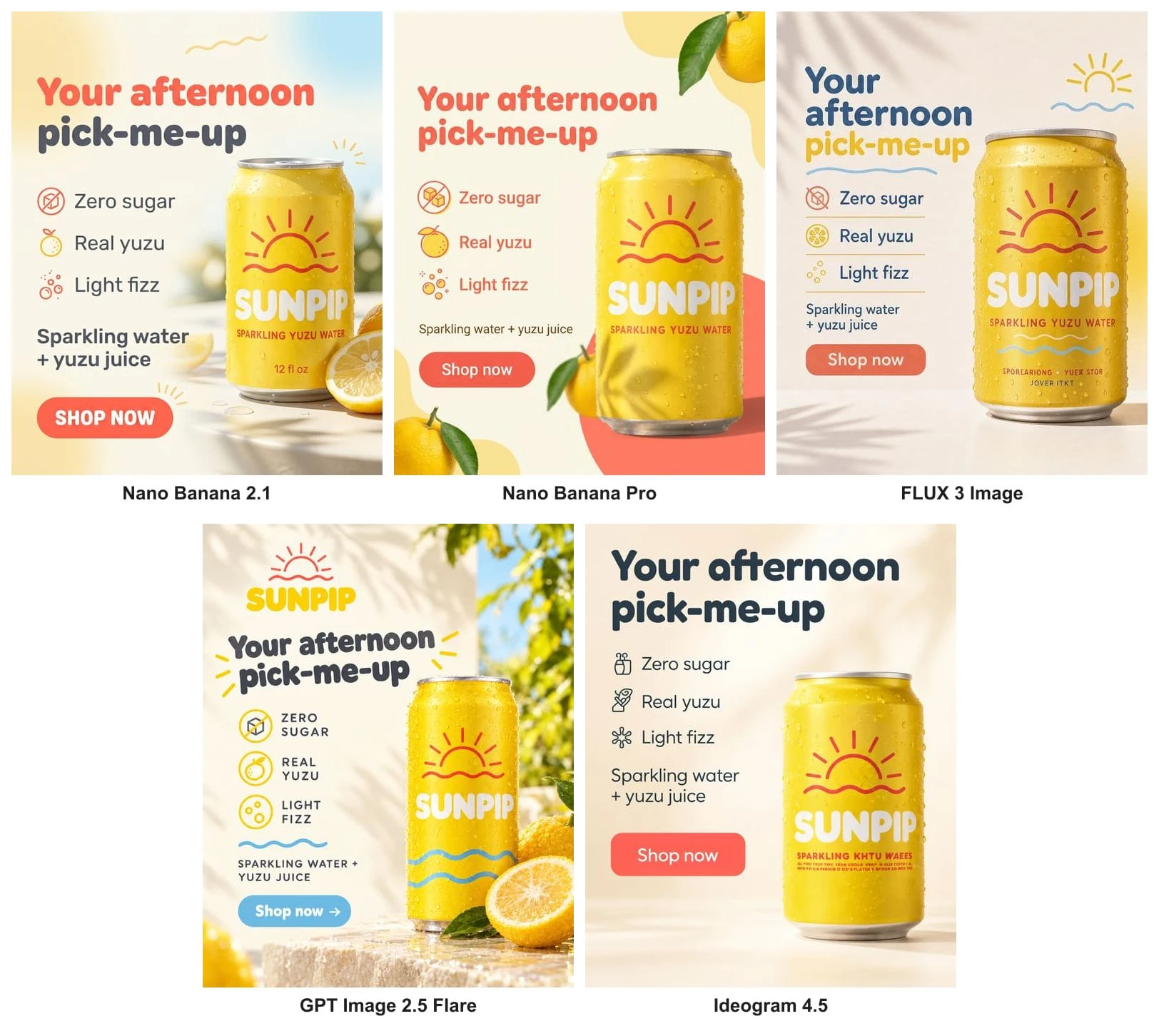
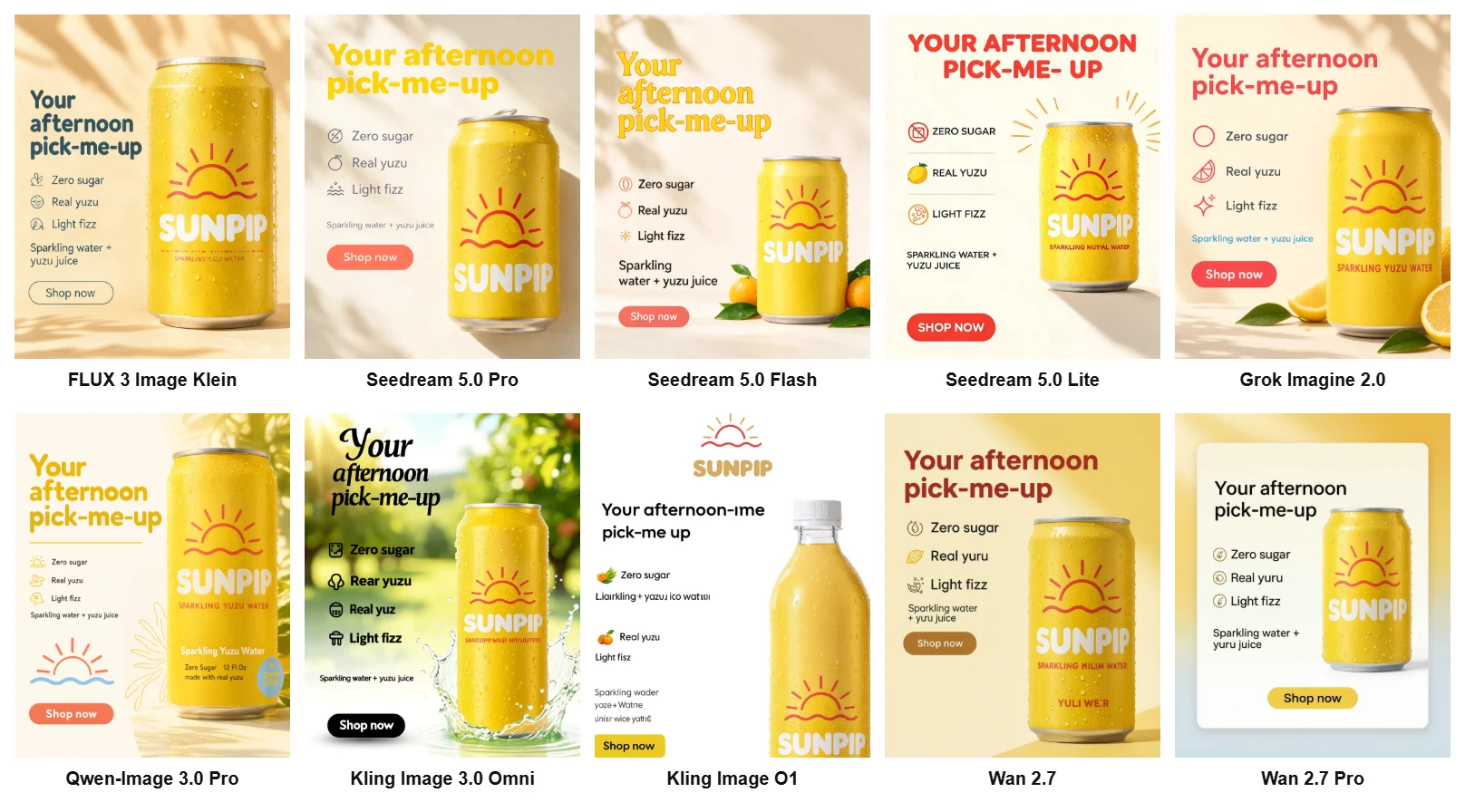
In our test of 16 AI image models, five had no text error on a product shot, a poster and a text-heavy ad: Nano Banana 2.1, GPT Image 2.5 Flare, Seedream 5.0 Pro, Seedream 5.0 Flash and Grok Imagine 2.0. The other eleven slipped somewhere: a misspelled word on the can, a typo in a web address, lines of gibberish dressed up as small print, and on four models a misspelled line of the ad copy itself.
We ran one brand, three briefs and 16 models inside BrandGen, one run each, with every model on its default settings. That is a small test, and we say so throughout. But it is the test you would run before picking a model for a launch, and the mistakes we found are the kind that pass a quick glance and end up in print.
Key takeaways
- Five of 16 models had no spelling slip and no invented text across all three briefs: Nano Banana 2.1, GPT Image 2.5 Flare, Seedream 5.0 Pro, Seedream 5.0 Flash and Grok Imagine 2.0.
- Seedream 5.0 Flash is the cheapest clean pick: 1 credit an image, and it is on the Free plan.
- Asked-for text is mostly solved, not fully: 11 of the 15 ads that came back had all six requested lines right, but the Kling and Wan models misspelled the copy itself.
- The bigger risk is still text the model adds on its own: "EPARKLING", "SPARKLING WHHIL WATER", "sanpip.example" and lines of nonsense letters on the can.
- FLUX.2 Pro refused the ad brief twice, flagging a sparkling water ad as unsafe. Have a second model ready, and proofread every word at full size before it ships.
How did we test?
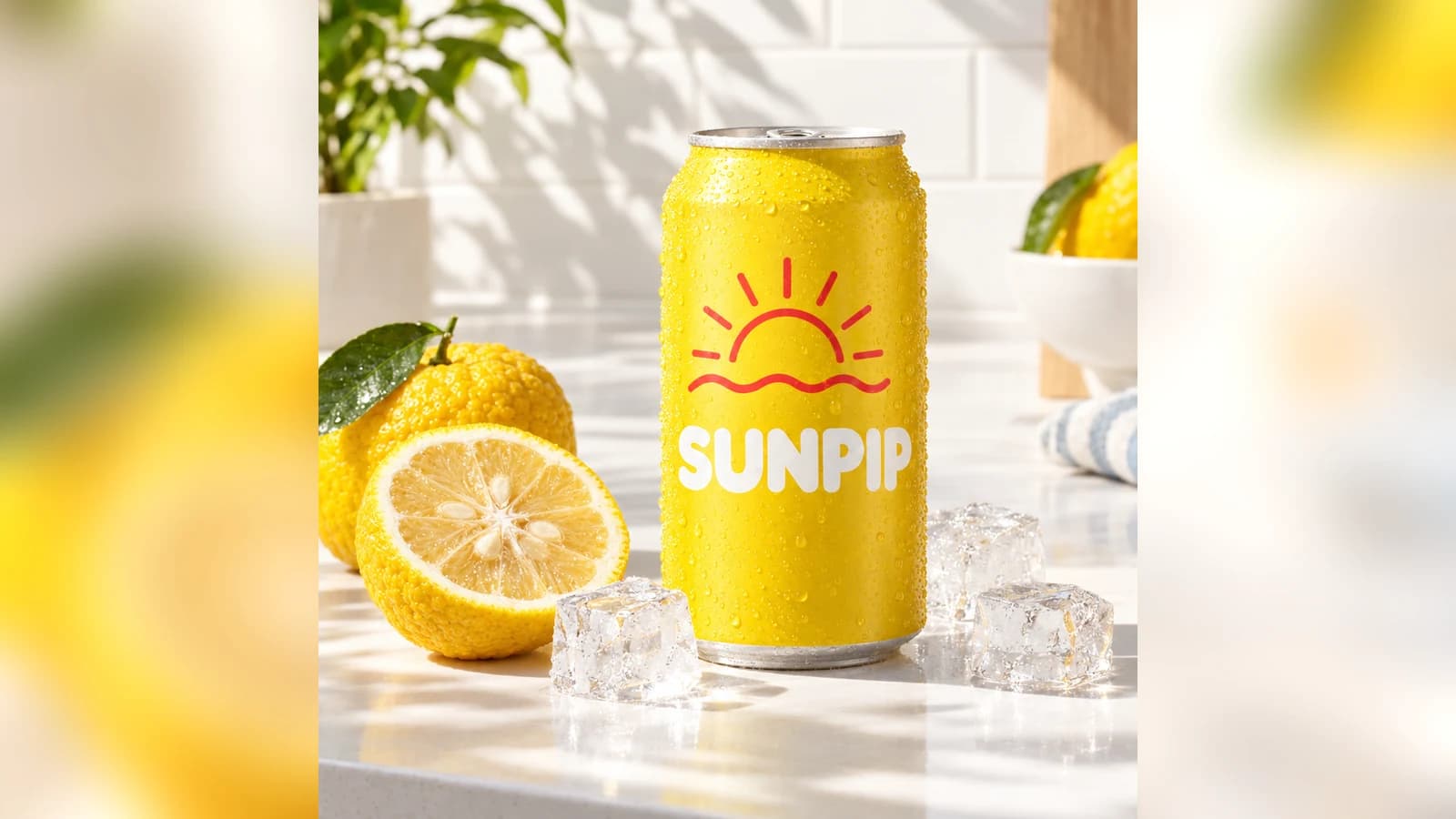
We set up one BrandGen project for Sunpip, an invented sparkling yuzu water: a slim can with a sunny-yellow band, a heavy rounded SUNPIP wordmark, a coral sun-over-a-wave mark and the line "Sparkling Yuzu Water". Brand DNA came from a single reference image and stayed switched on for every generation, so no prompt had to describe the colours, the can or the logo.
One detail matters for reading the results. BrandGen passes Brand DNA to the model as written notes (identity, colours and fonts), not as the original picture. No model ever saw the reference image, so every can below is the model's reading of a description. It shows: all 16 models painted the whole can yellow, while the reference can is white with a yellow band. The Brand DNA notes describe "vibrant sunny yellow accents", and every model read that as a yellow can.
Each model got three briefs, word for word the same:
Got any questions left?
Try it
Set up a brand once and test your own briefs across models on the BrandGen homepage. Browse real outputs in the gallery, see which models each plan includes on the pricing page, or read what Brand DNA is and how it keeps every image on brand.
Try every image model with your brand built in
Switch models inside one project while Brand DNA keeps the look consistent.
Keep reading
- Nano Banana vs Nano Banana Pro: when is Pro worth it?We ran the same five on-brand prompts on Nano Banana 2 Lite, Nano Banana 2 and Nano Banana Pro. Here is where Pro earned its extra credits, where it did not, and which plan you need.6 min read
- Best AI Image Generators for On-Brand Marketing (2026)BrandGen, Canva, Kittl, Recraft, Adobe Firefly, Pomelli and Photoroom compared on brand memory, logo handling, reference images and price (Oct 2026).9 min read