AI Knitwear Campaign Photo in Falling Snow
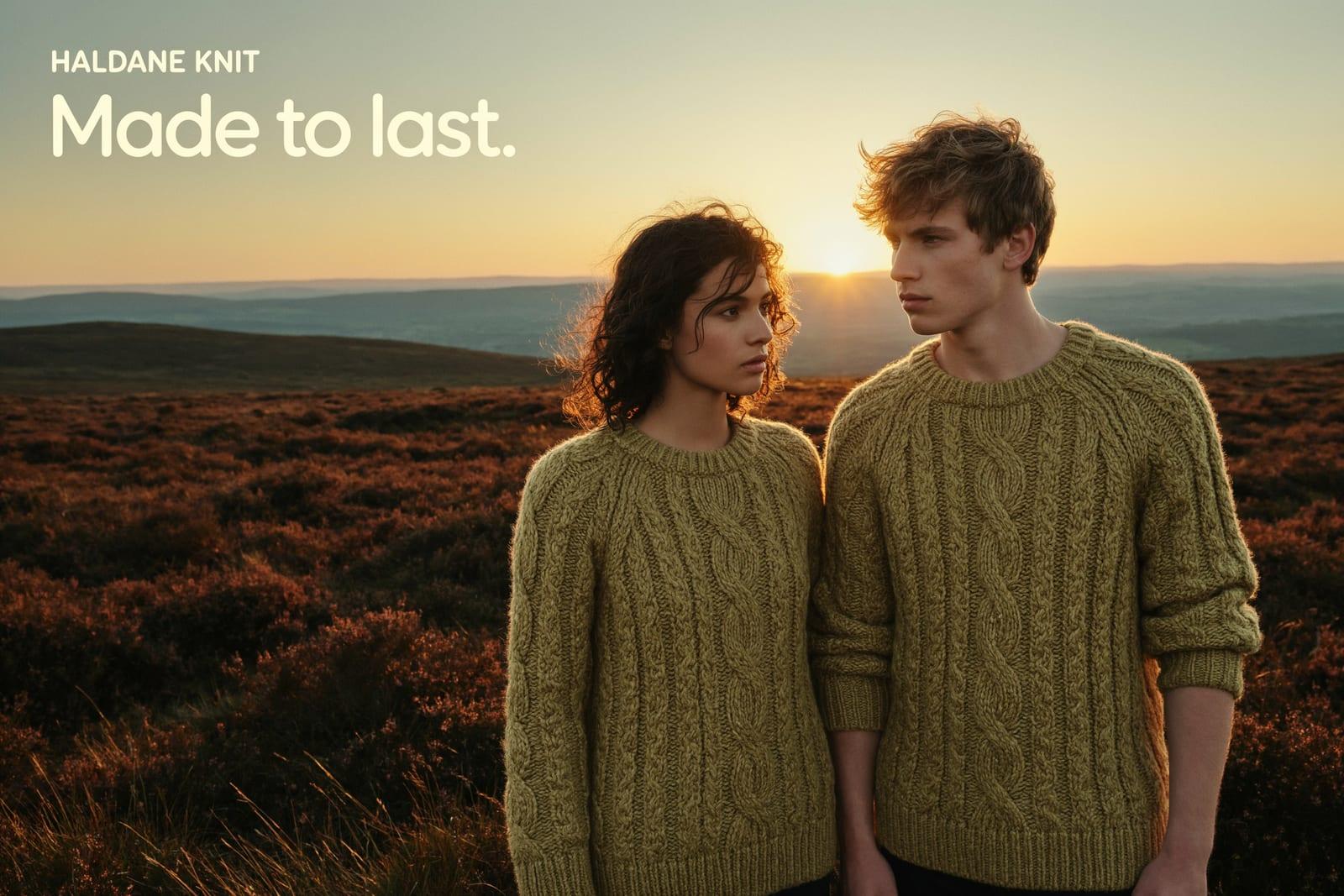
The 3rd Refine edit of the moor campaign photo, made with Ideogram 4.6: the first edit turned the woman's sweater rust, the second brought falling snow over the moor, and this one changed the headline to "Made for winter."
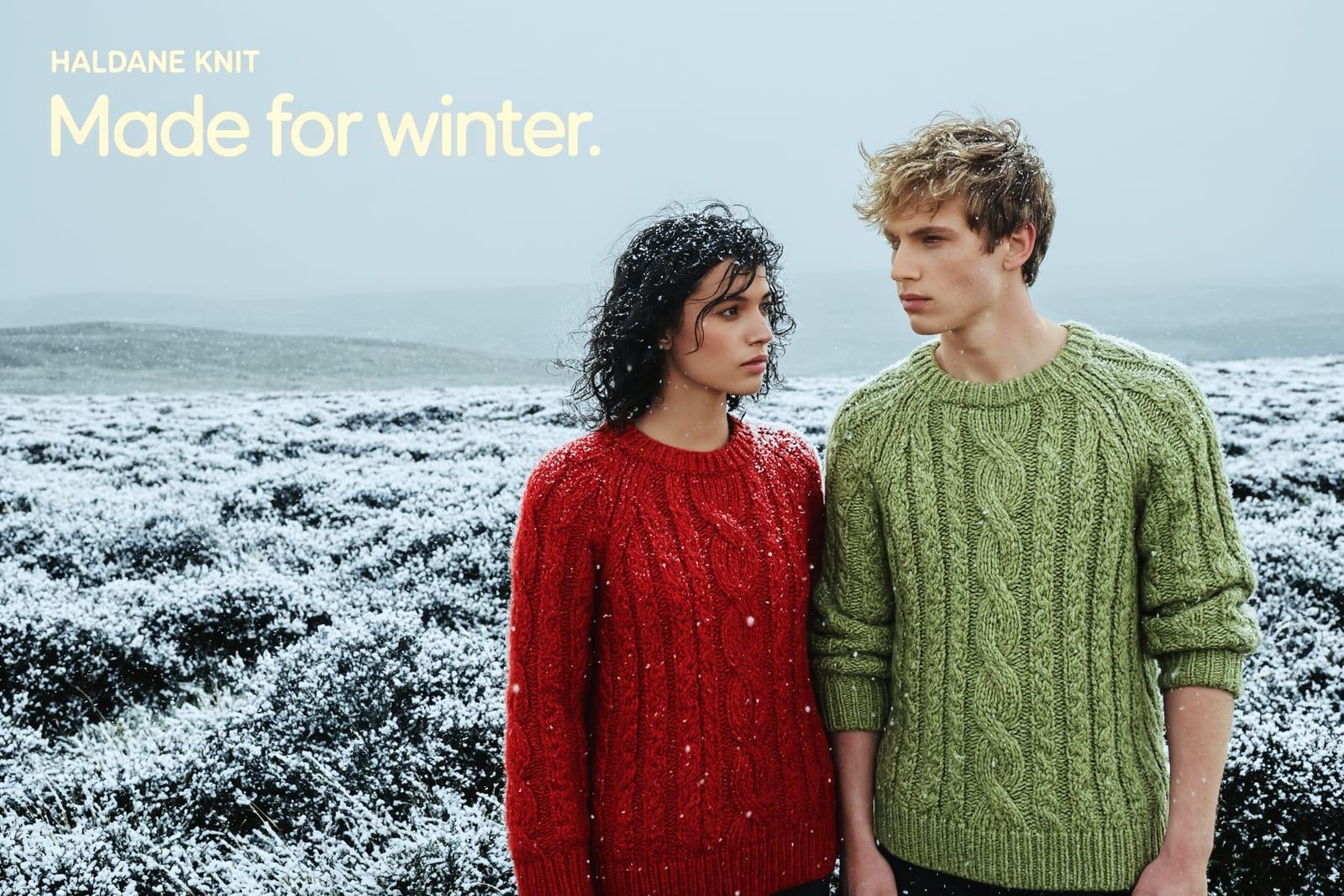 AI-generated
Example breakdown
Why it stays on-brand
The same two models in their cable-knit sweaters carry through all three edits, with the rust from Haldane Knit's palette and the cream wordmark kept.
Marketing use
Use it as the winter follow-up to an autumn campaign, or to show one photo shoot carried into a new season.
Prompt
Change the headline to "Made for winter."
How this was generated
Brand DNA came from written guidelines using the same style of preset as in the live app. That DNA was applied as rules on top of the prompt used for this asset (shown in the Prompt section above).
- 1Written guidelinesBrand DNA source
Guidelines path: BrandGen turns pasted or typed brand specs into structured DNA.
Preset exampleHaldane KnitColor Palette
- Primary: Pine green #2F4A3A
- Secondary: Rust #B5532F
- Neutral: Oat #E9DFC8
- Accent: Slate blue #4A5D78
- Accent: Mustard #D4A62A
Typography Rounded humanist sans-serif in capitals for the HALDANE KNIT wordmark and short headlines, set in cream.
Style Warm, honest, made-to-last knitwear for real weather.
Composition Outdoor campaign photography on moors and hills, natural poses, wordmark and a short headline in a top corner.
Imagery Real people and real textures in real weather: wind, golden hour, haze, snow. Backlight that makes wool fibres glow.
Do's Show texture up close. Keep colours true to the palette.
Don'ts No glossy runway drama, no heavy retouching, no neon, no plain studio walls.
- 2Apply DNA to the prompt
Every generation runs through that DNA as hard constraints (colors, type, visual style, tone). The creative intent is entirely in the prompt already shown above.
- 3Final outputFashion & Apparel
The same wording with different DNA would look like a different brand. This image used the Brand DNA from step 1.
Related guides
Related examples
More from this brand
Other outputs generated from the same brand reference.
More examples
 AI-generated
AI Leather Tote Saddle Stitching Workshop Photo
AI Stoneware Cups and Bowl as Wildflower Vases Photo
 AI-generated
AI Enamel Pin on a Denim Jacket Lapel With Ticket Stub
AI Hotel Welcome Card With Wax Seal on a Pillow
AI Bookplate Inside an Old Cloth-Bound Book Macro

AI Spaceport at Night With a Rocket on the Pad
AI Ancient Greek Ship Concept Sheet
AI Orrery Enamel Pin Macro Shot