What's the best brand image to upload?
Upload one finished design you have already published, like a social post or ad, that shows your logo, colors, fonts and style together. Here is how to pick it, with real results.
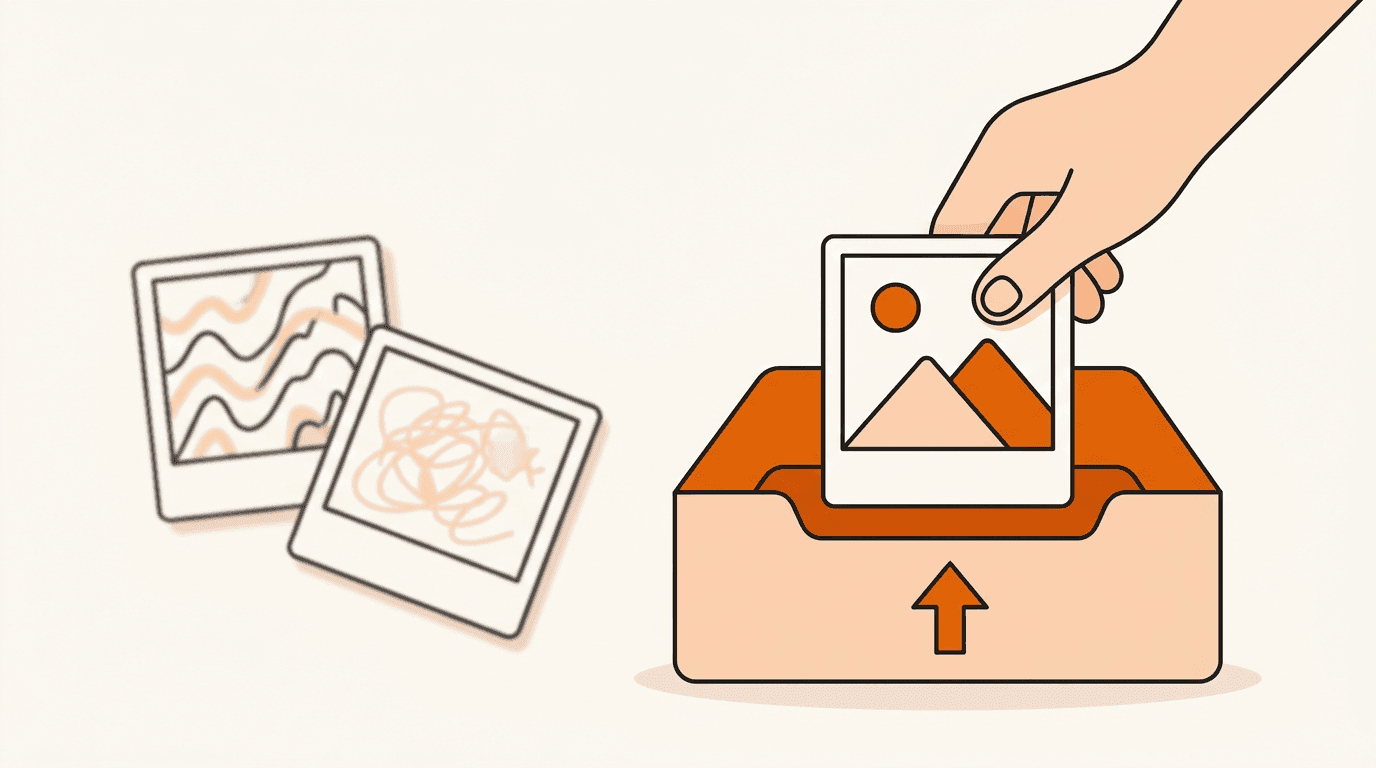
Short answer: upload one finished design you have already published, like a social post, ad or poster, that shows your logo, colors, fonts and photo style together. Then add your logo file when BrandGen asks for it.
BrandGen builds your Brand DNA from that single image, so everything you generate later can only be as on-brand as the image you choose.
What makes a brand image good?
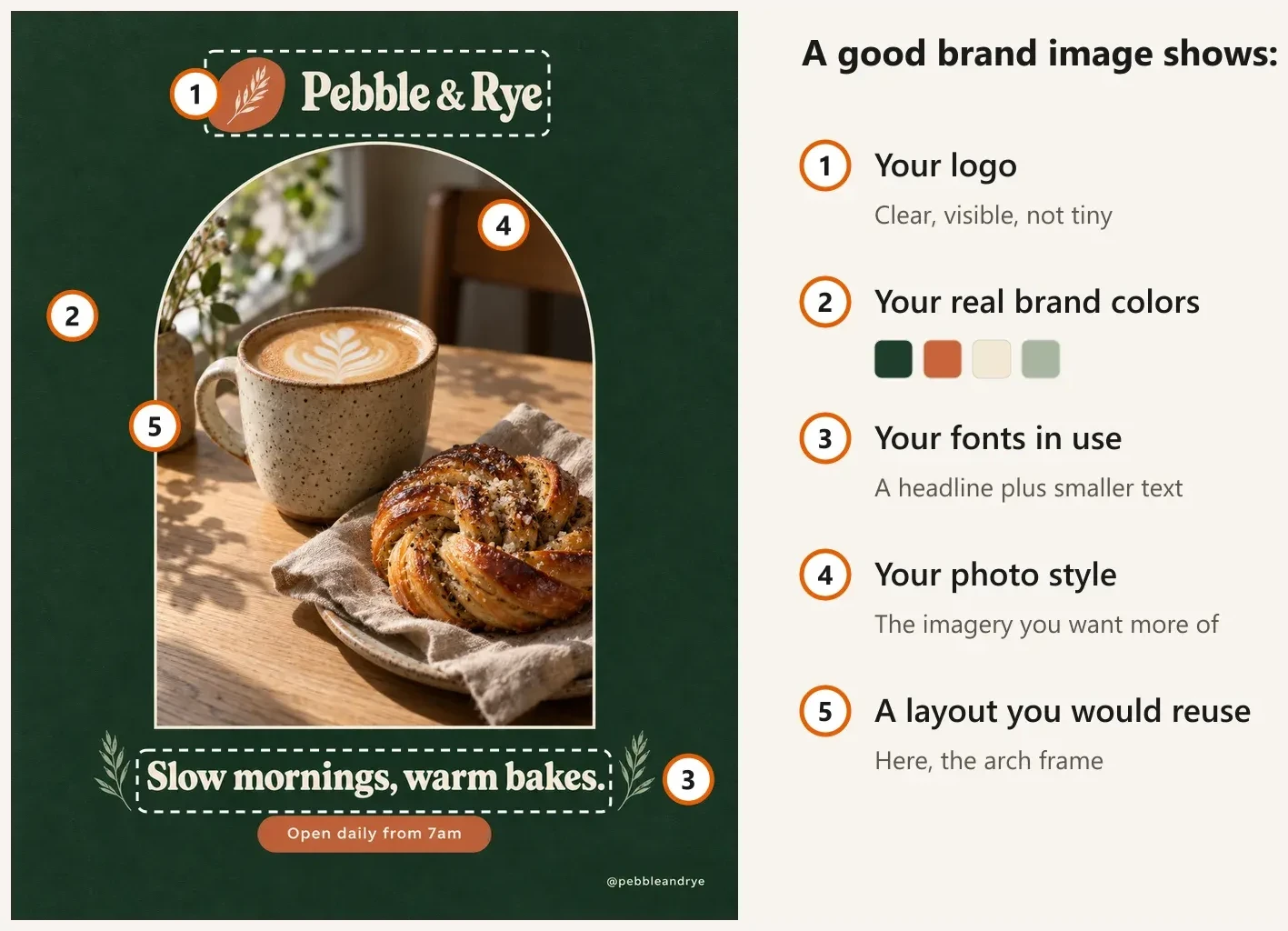
Look through your own files and pick the one that shows the most of these at once:
- Your logo, clearly visible and not tiny.
- Your real brand colors, the ones you use everywhere, not a one-off campaign palette.
- Your fonts in use, like a headline and some smaller text.
- Your photo or illustration style, the kind of imagery you want more of.
- A layout you would reuse, like how you frame photos or where the logo sits.
The more of these one image carries, the less BrandGen has to guess.
The best images to upload, ranked
- A finished marketing design. A social post, ad, poster or email header you have already published. It carries all five signals at once.
- A café: an Instagram post with a drink photo, the logo and a headline.
- A skincare brand: an ad with the product, the label and the tagline.
- A real estate agency: a listing flyer with a property photo, logo and contact strip.
- Branded packaging or a product photo, where your logo and colors are visible on the product itself.
- The top of your website, cropped to the hero section with your logo, headline and main image. Leave out the browser bar and menus.
- Your logo on its own. It gives BrandGen your colors and your mark, but no photo style or layout to follow. Use it only if you have nothing else, and expect more generic results.
Whatever you pick, add your logo file too when BrandGen asks after setup. The best combination is a finished design as the brand image plus your logo as its own file.
Same prompt, three different uploads
To show how much the choice matters, we set up the same café three times, each with a different brand image, and ran the same prompt with the same model and settings:
Instagram post announcing our new pumpkin spice oat latte, available this week only.
| Brand image uploaded | What came out |
|---|---|
| A finished social post | On brand: the logo, deep green, terracotta arch, cream serif type and warm photography all carried through. |
| The logo only | The right logo and colors, but a flat illustration instead of a photo. The logo had no photo style to follow. |
| A nice photo with no branding | A good-looking café photo with no logo, no brand name and generic type. It could be any café. |
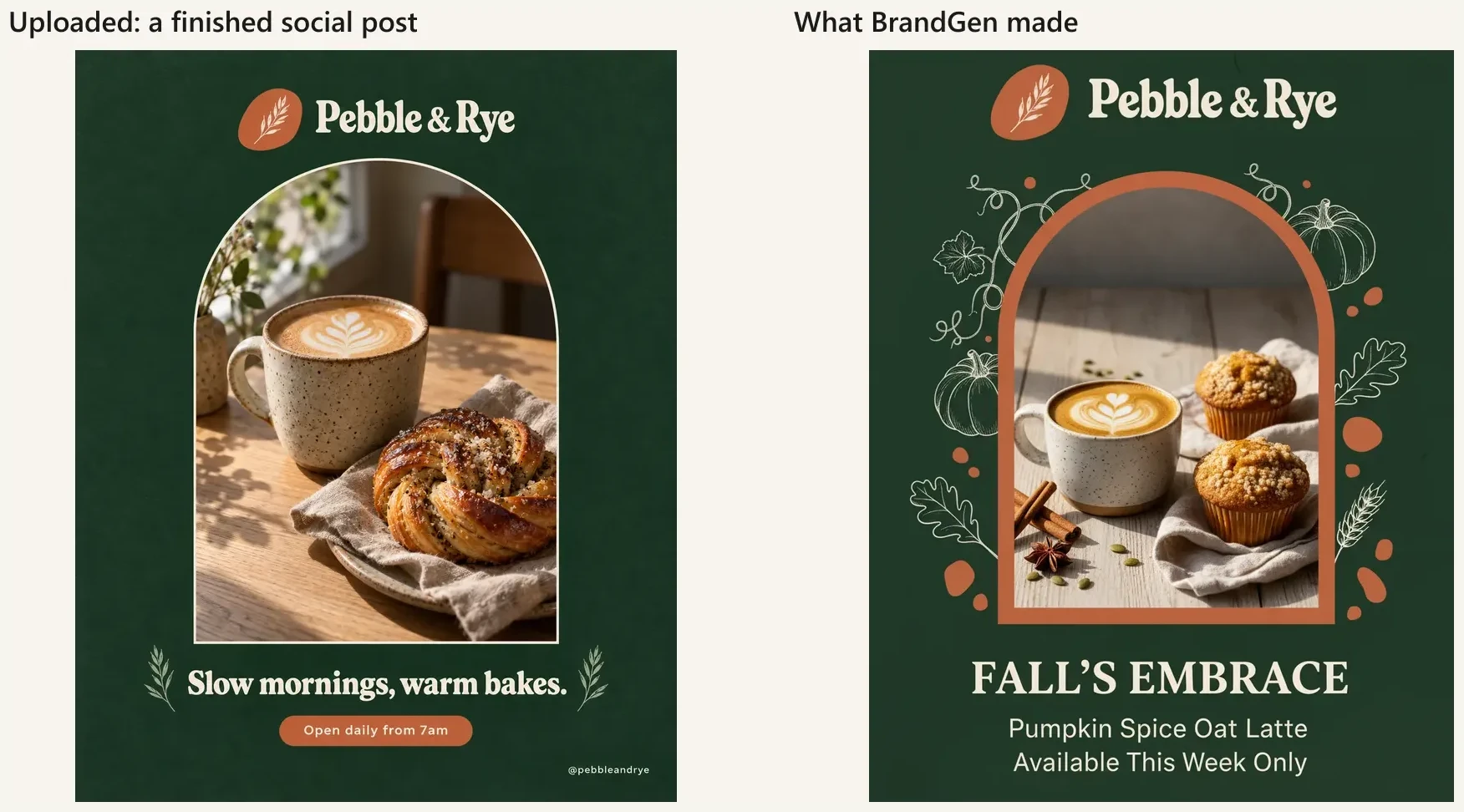
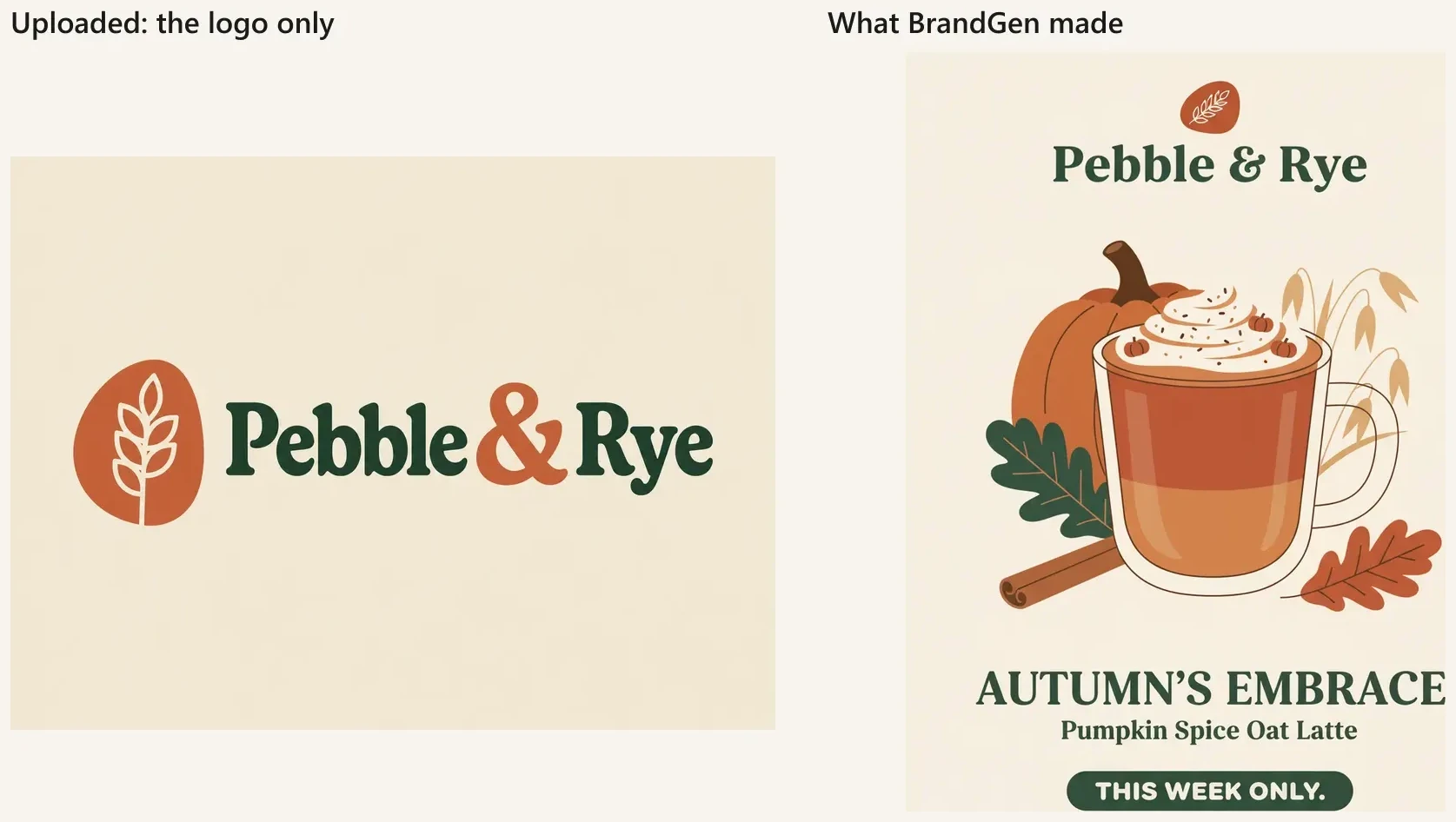
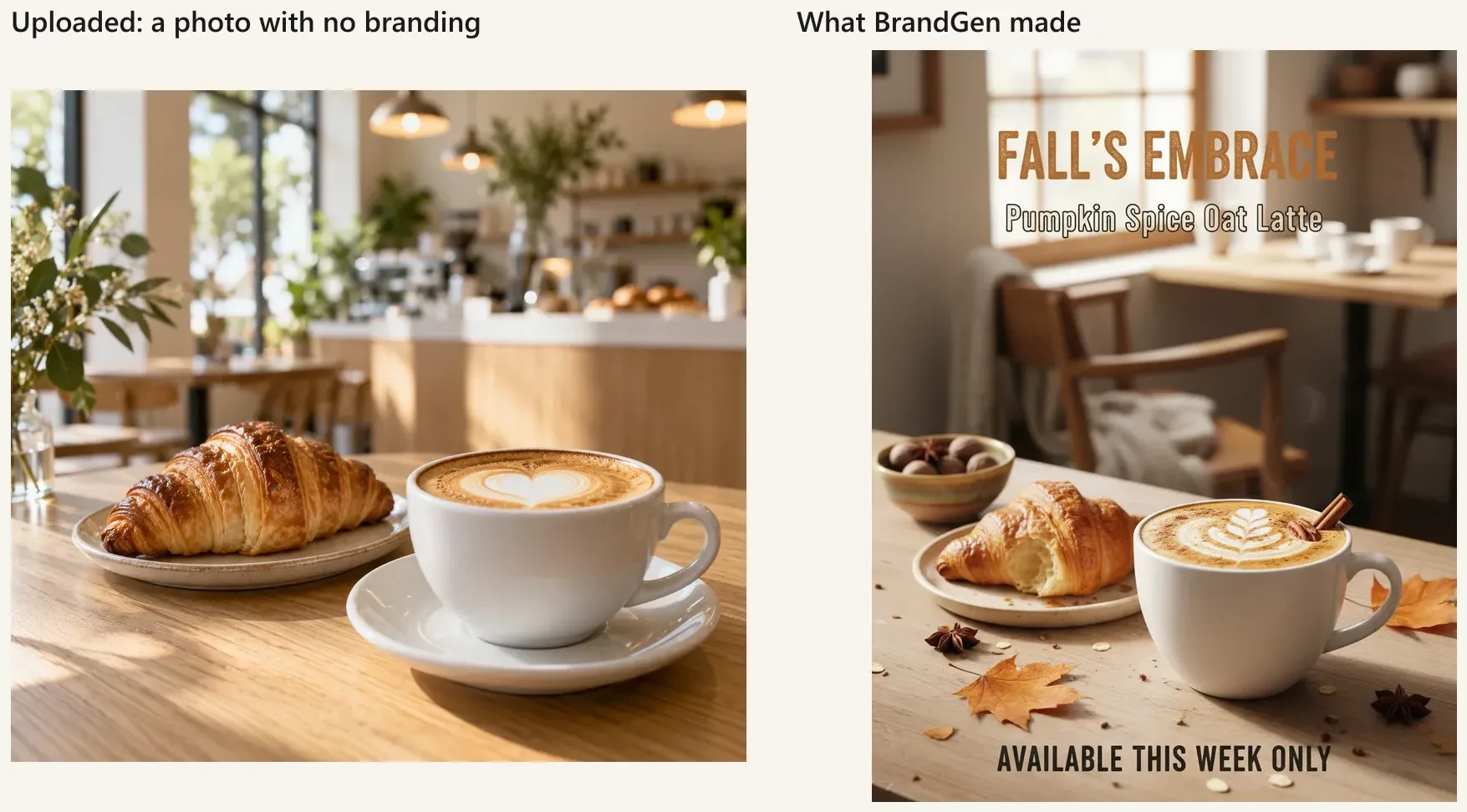
The photo-only upload looked the nicest on its own, and produced the least on-brand result. A pretty image is not the same as a branded one.
Images that don't work well
- Photos with no branding. Beautiful, but they carry no logo, colors or type to follow.
- Pages from a brand guidelines PDF. Mostly text and swatches. Upload a design that uses the brand instead.
- Full screenshots with browser bars, menus or other apps in the frame.
- Collages that mix several designs or other brands.
- Off-brand campaigns, like a holiday promo in colors you never normally use.
- Blurry or tiny images where the logo and text are hard to read.
Quick checklist before you upload
- Can you see the logo clearly?
- Are these the colors you use everywhere?
- Is there at least one headline in your brand font?
- Does it look like the images you want BrandGen to make?
- Is it your own design, with nothing from other brands?
If you can answer yes to most of these, it is a good brand image.
Frequently asked questions
Is my logo enough?
It works, but it is the weakest option. A logo gives BrandGen your colors and your mark, not your photo style or layouts, so results look more generic. Use a finished design if you have one, and add the logo as its own file.
Should I upload a photo or a design?
A design that includes a photo, like a social post. A plain photo has your style but none of your branding; a finished design has both.
What if I don't have any marketing designs yet?
Choose Manual when you create a project and describe your brand in words: colors, fonts, style and mood. You can switch to a brand image later by creating a new project.
Does the image size matter?
Clarity matters more than size. Your logo and text need to be readable. Large files are fine; BrandGen optimizes them automatically.
Which file types can I upload?
PNG, JPEG or WebP. Other formats, like PDF, HEIC or GIF, are not accepted, so save or export your design as one of these first.
Related articles
- How do I set up my Brand DNA?Brand DNA is your brand's identity, colors, fonts and logo, which BrandGen applies to every image you generate in a project. Set it up from a brand image, your website, or by writing it yourself.Brand DNA - 3 min read
- How do I create my first project?Learn how to create a new project in BrandGen, set up your Brand DNA, and generate your first on-brand image.Getting started - 2 min read
- How do I rename, archive or delete a project?Open the ⋮ menu on a project's tile and choose Rename, Archive or Delete. Archived projects can be restored anytime. Deleting a project removes it and all its images from your account, and it can't be restored in the app.Getting started - 2 min read