How do I write a prompt that gets an on-brand result?
Your Brand DNA already adds your logo, colors and style. Your prompt only needs to say what the image is: the format, the subject, the mood and any exact text. Real examples inside.
Short answer: describe the image, not your brand. Your Brand DNA already adds your logo, colors, fonts and style to every image in the project, so your prompt only needs four things: the format, the subject, the mood and any exact text in quotes.
In short: Brand DNA handles the look. Your prompt handles the message.
What should a prompt include?
A good prompt answers four questions:
- Format - what is it for? An Instagram post, a LinkedIn banner, an email header.
- Subject - what is in the picture? Name the product and what is around it.
- Mood - how should it feel? Lighting, season, energy.
- Exact text - any words that must appear, in quotes.
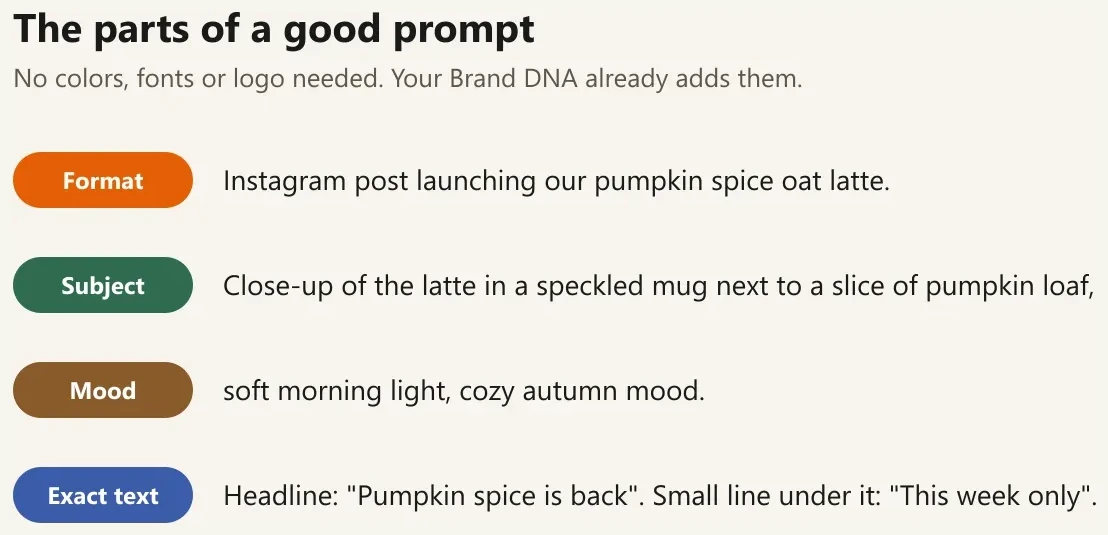
Two to four sentences is usually enough.
Do I need to describe my brand in the prompt?
No. Colors, hex codes, fonts, your logo and your layout style all come from your Brand DNA. Repeating them in the prompt is extra typing that, in our testing, did not make the result any more on brand.
Same idea, three prompts
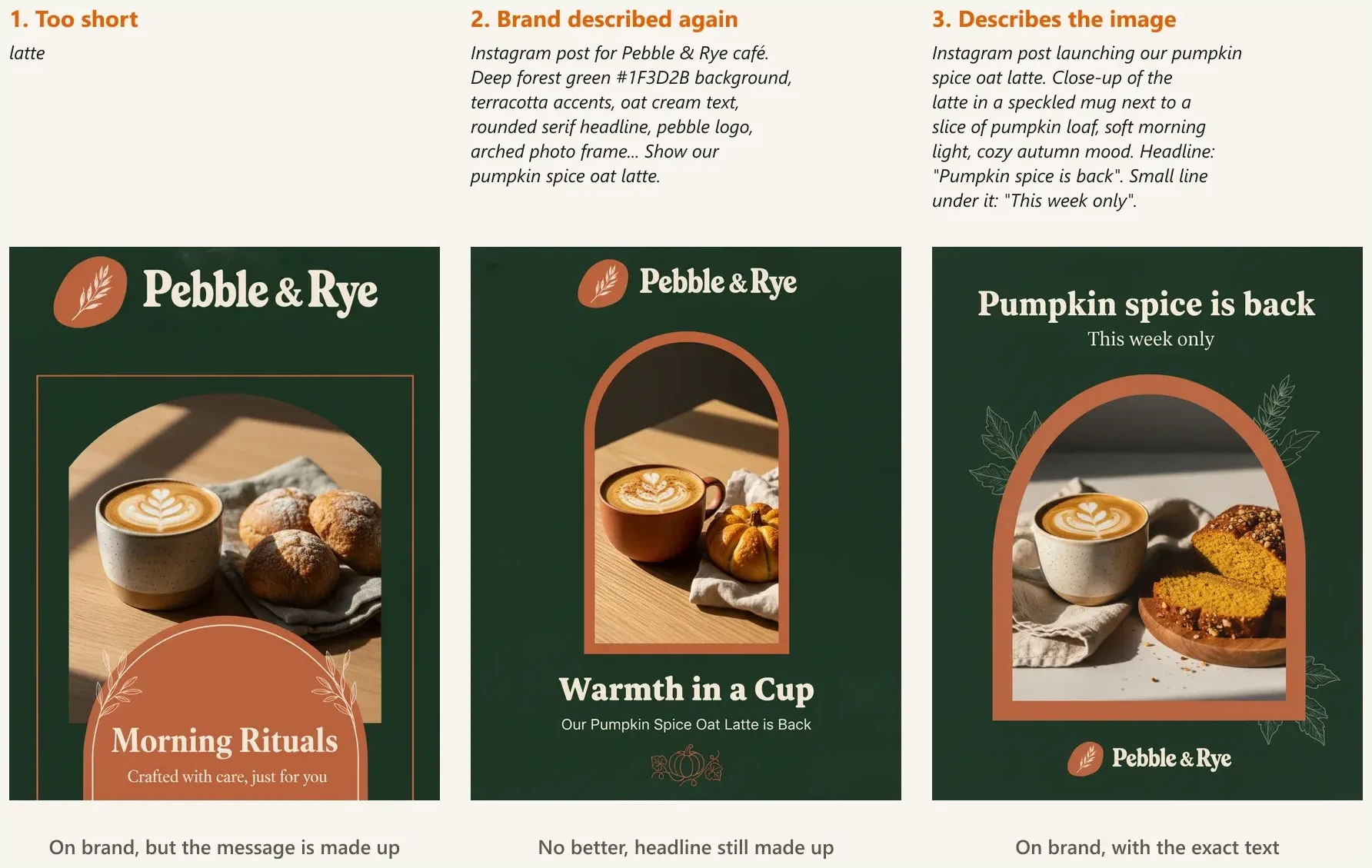
We ran three prompts for the same café launch, in the same project, with the same model and settings:
- Too short:
latte - Brand described again: "Instagram post for Pebble & Rye café. Deep forest green #1F3D2B background, terracotta #C8643B accents, oat cream #F2E8D5 text, chunky rounded serif headline font, clean geometric sans for small text, pebble-shaped terracotta logo with a wheat stalk at the top, tall arched photo frame in the center, warm morning light, linen and oak textures. Show our pumpkin spice oat latte."
- Describes the image: "Instagram post launching our pumpkin spice oat latte. Close-up of the latte in a speckled mug next to a slice of pumpkin loaf, soft morning light, cozy autumn mood. Headline: "Pumpkin spice is back". Small line under it: "This week only"."
What happened:
- All three were on brand. The logo, green background and arch frame came from the Brand DNA every time, even for one word.
- The short prompt got the message wrong. With nothing to go on, BrandGen wrote its own headline, "Morning Rituals", and left out the launch.
- Re-describing the brand added nothing. The result looked like the others and still had a made-up headline.
- Only the third prompt said what we meant: the right product, the right mood and the exact words.
What does the Brand DNA toggle do?
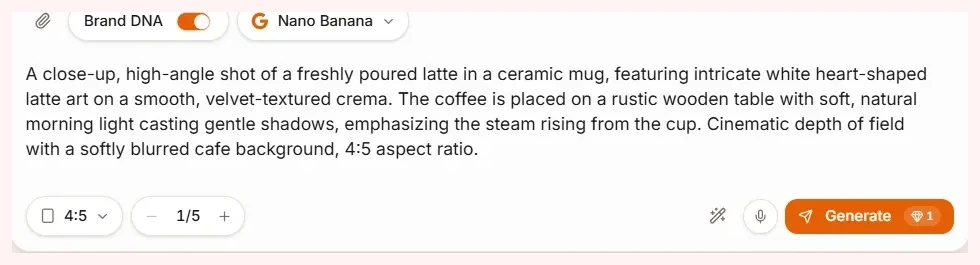
The Brand DNA switch in the prompt bar decides whether your brand is applied. When it is on, outputs are styled to your brand. When it is off, BrandGen does free-form generation and follows only your prompt.
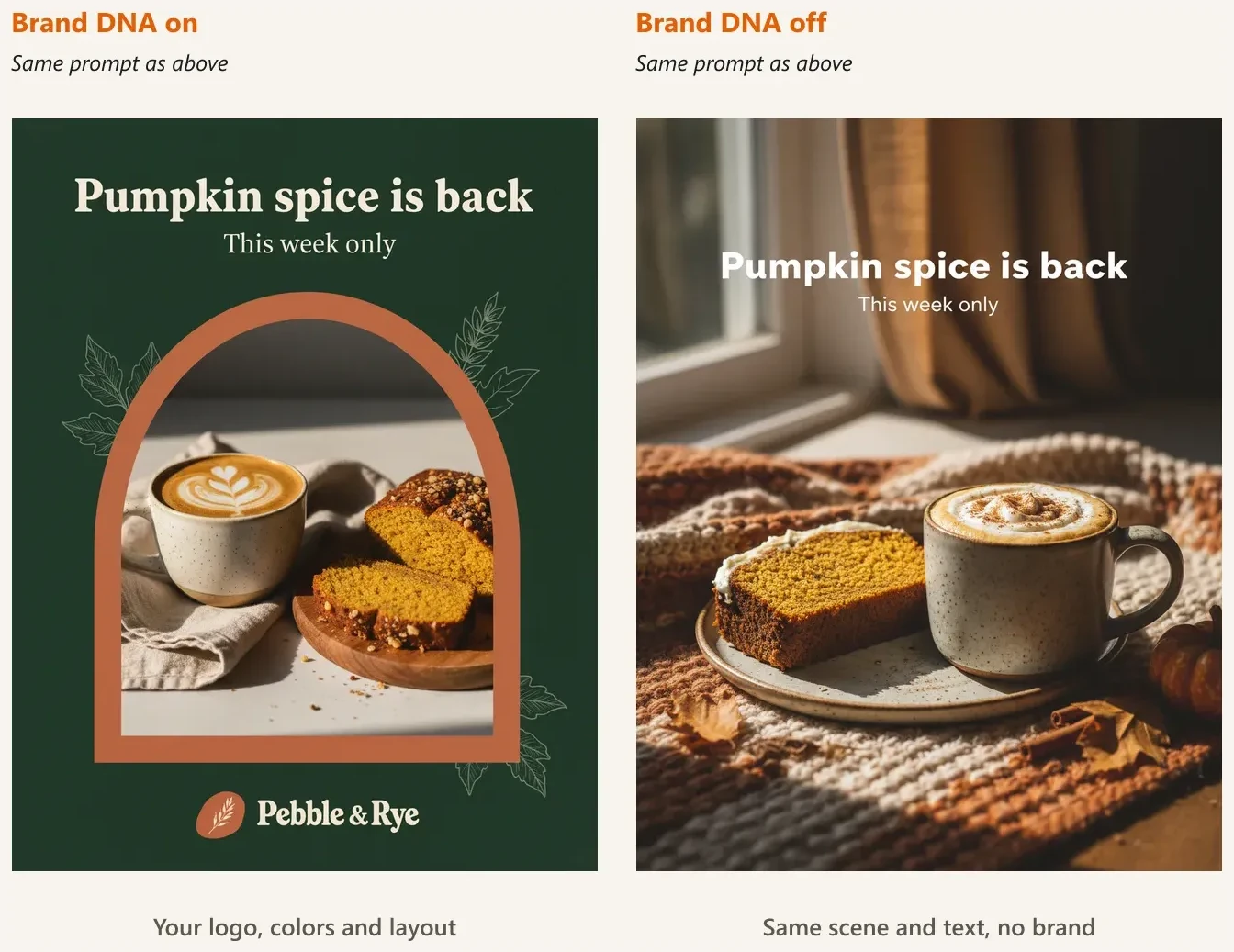
Leave it on for brand work. Turn it off when you want something that should not look like your brand, like a neutral background photo.
How do I get exact text on the image?
- Put the words in quotes, like
Headline: "Pumpkin spice is back". - Say where each line goes, like "small line under it".
- Keep it short. A headline and one small line work better than a paragraph.
- Check the result before you post. Image models can still misspell words. If a word comes out wrong, open the image and refine it.
What in the prompt bar can help?
- Enhance prompt (the wand icon) rewrites a short idea into a detailed scene. It is available on every plan, including Free. It describes the scene, not your text, so add your headline in quotes afterwards.
- Quick start ideas appear in a new, empty project: social media ad creative, LinkedIn cover or banner, website hero image, and email header or newsletter banner.
- Aspect ratio sets the shape, so you do not need to write "square" or "vertical" in the prompt.
- The paperclip attaches an image, like a product photo, to that prompt.
- The microphone lets you dictate your prompt instead of typing it.
Frequently asked questions
Can I write just one word?
Yes, and the image will still be on brand. But BrandGen has to invent the rest, including any headline, so you may get a message you did not want.
Should I include my hex codes or font names?
You do not need to. They are already in your Brand DNA. If something about your brand is off in every image, update your Brand DNA once on the Brand DNA page (click the Brand DNA chip at the top of your project), instead of repeating it in each prompt.
Why did my headline come out different from what I wrote?
Put the exact words in quotes and label them, like Headline: "...", so it is clear they are text to show, not an idea to interpret. If it still comes out different, open the image and refine it.
Does Enhance prompt use credits?
No. It rewrites the text in the prompt box. You only spend credits when you click Generate.
Related articles
- How do I add a logo or product photo to my prompt?Click the paperclip in the prompt bar and attach one image, like a product photo or your logo. BrandGen keeps what the image shows and builds the scene from your prompt. Real before and after inside.Generating & refining - 4 min read
- Why did my generation fail, and do I get my credits back?If BrandGen can't make your image, the credits go straight back to your balance. Here is what each message means, how to check the refund, and what to try next.Generating & refining - 4 min read
- How do I refine an image, compare variants and leave comments?Generate a few variants, open the one you like, describe what to change with Refine, and keep private notes in Comments. Here is how each step works, with real examples.Generating & refining - 4 min read